You can access the IELTS on-compter Familiarisation test from the 'Take IELTS' section of the British Council IELTS website.
If you are a British Council test taker using the IELTS Ready Premium website, you can also see the IELTS On Computer mock test format by:
- purchasing a single mock test package for FlexCheck AI feedback on one test for each skill. Go to profile and package to see your FlexCheck AI options.
- purchasing a full FlexCheck AI package and then choosing to do a mock test under strict timed conditions. Go to profile and then package to see your FlexCheck AI options. This option allows you to get detailed feedback on your performance.
- creating a free account on IELTS FLEX. All strict exam conditions mock tests will be in the IELTS On Computer format.
All Reading, Writing and Listening mock tests can be done with the IELTS On Computer test format. (Note: FLEX users who do not have a booked IELTS test with the British Council will need to purchase a FlexCheck AI package on FLEX in order to access this).
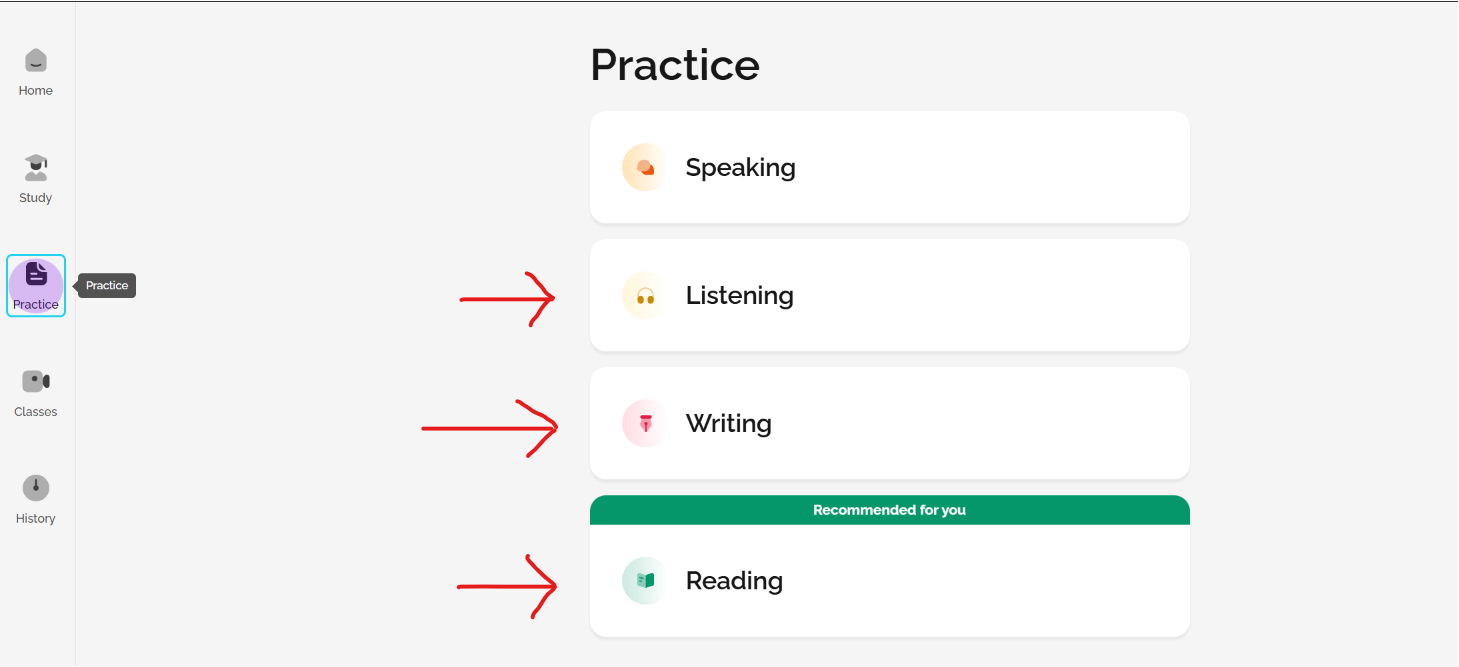
First, choose a skill in the Practice area (Listening, Reading, or Writing).
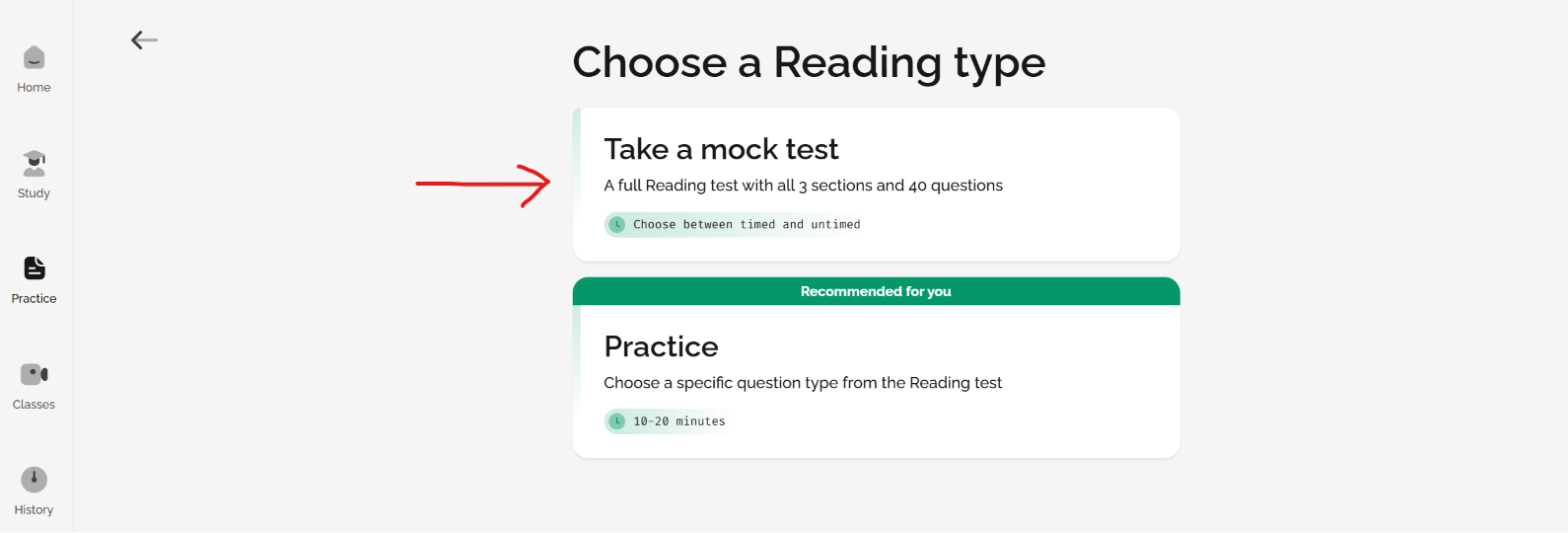
Then, choose to take a mock test:
Then, select the strict exam conditions option.
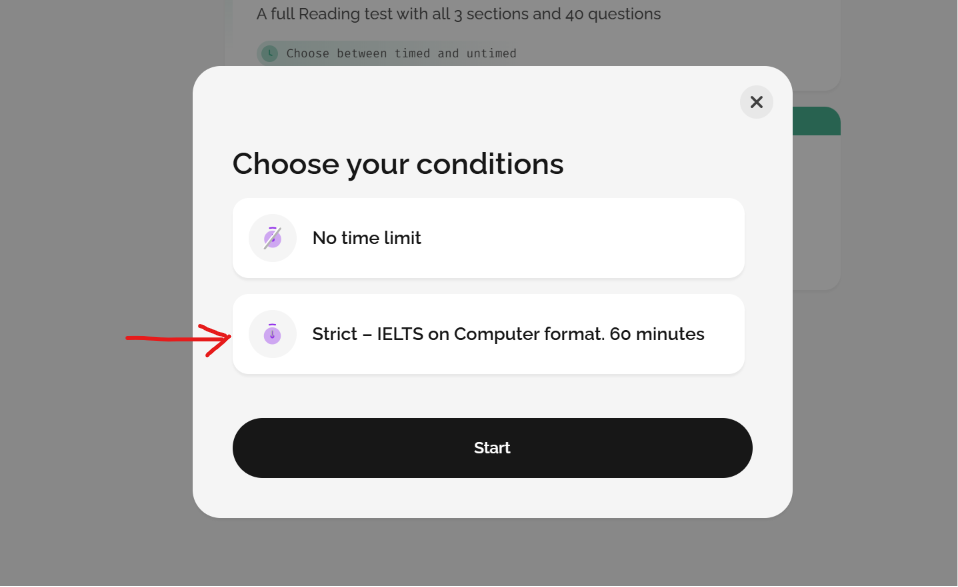
You can then complete the mock tests with the IELTS On Computer design and format.
Was this article helpful?
That’s Great!
Thank you for your feedback
Sorry! We couldn't be helpful
Thank you for your feedback
Feedback sent
We appreciate your effort and will try to fix the article