In the IELTS On Paper test, you are free to write on the Question Paper. You can circle/underline words in the text and question as much as you like.
In the IELTS on Computer test, it is possible to highlight words. This can be helpful for saving parts of the text so they are easier to find when you look back at the question. To do this, click and drag your mouse over the word(s) you wish you highlight, then click the right button on your mouse to bring up a menu. You can save the highlight and you can also make notes.
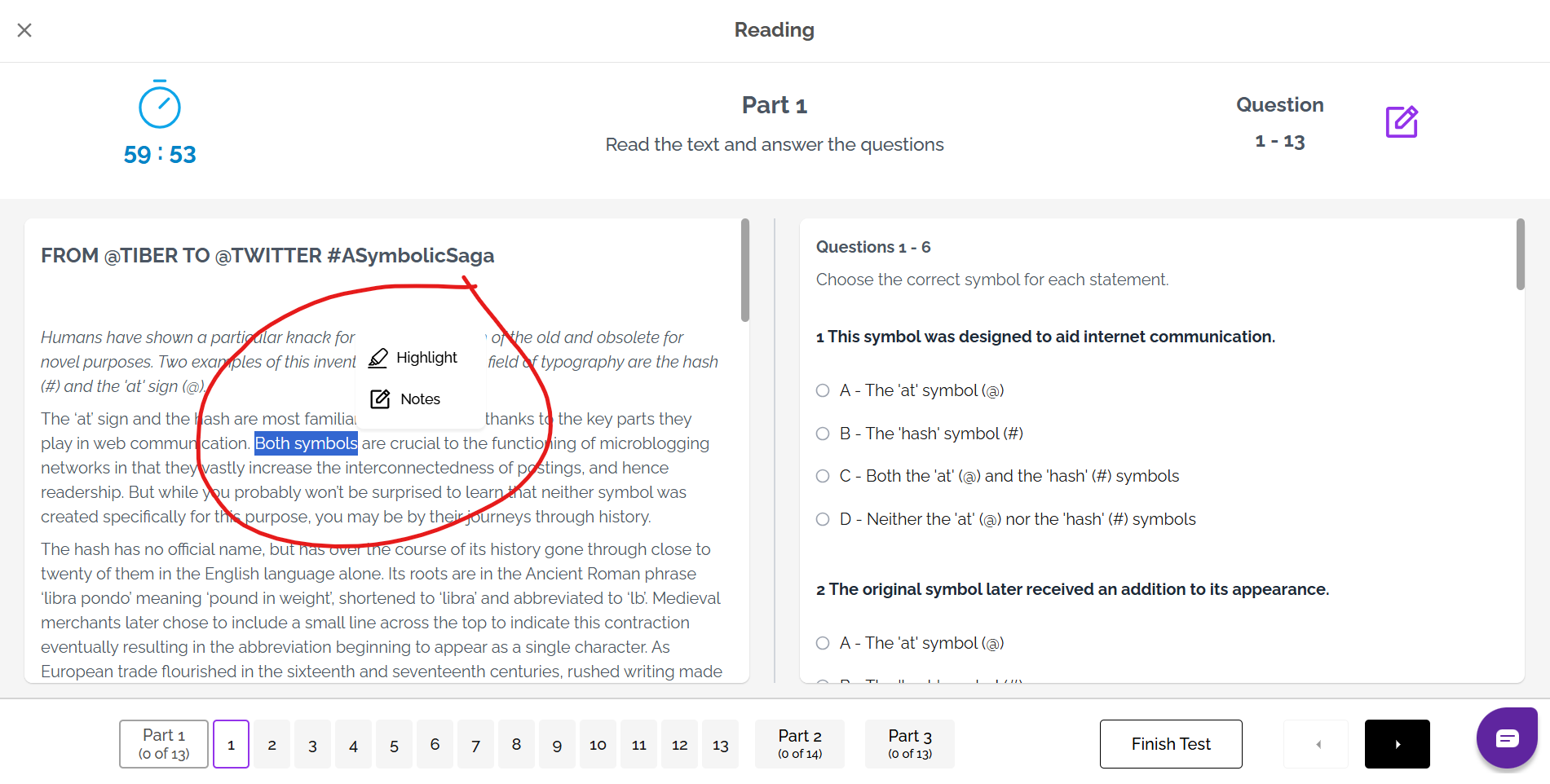
This is also possible for some Reading questions and for some Listening questions. Some parts of the question, however, are not possible to highlight, due to the interactive nature of the question.
When you do Practice on our site (IELTS FLEX or IELTS Ready Premium), you can also highlight the text and questions in the Reading practice and mock tests. This feature is not available for Listening practice.
If doing a practice Reading task or a mock Reading test without strict exam conditions, click and drag over the text, then click on the highlight button to highlight the text.
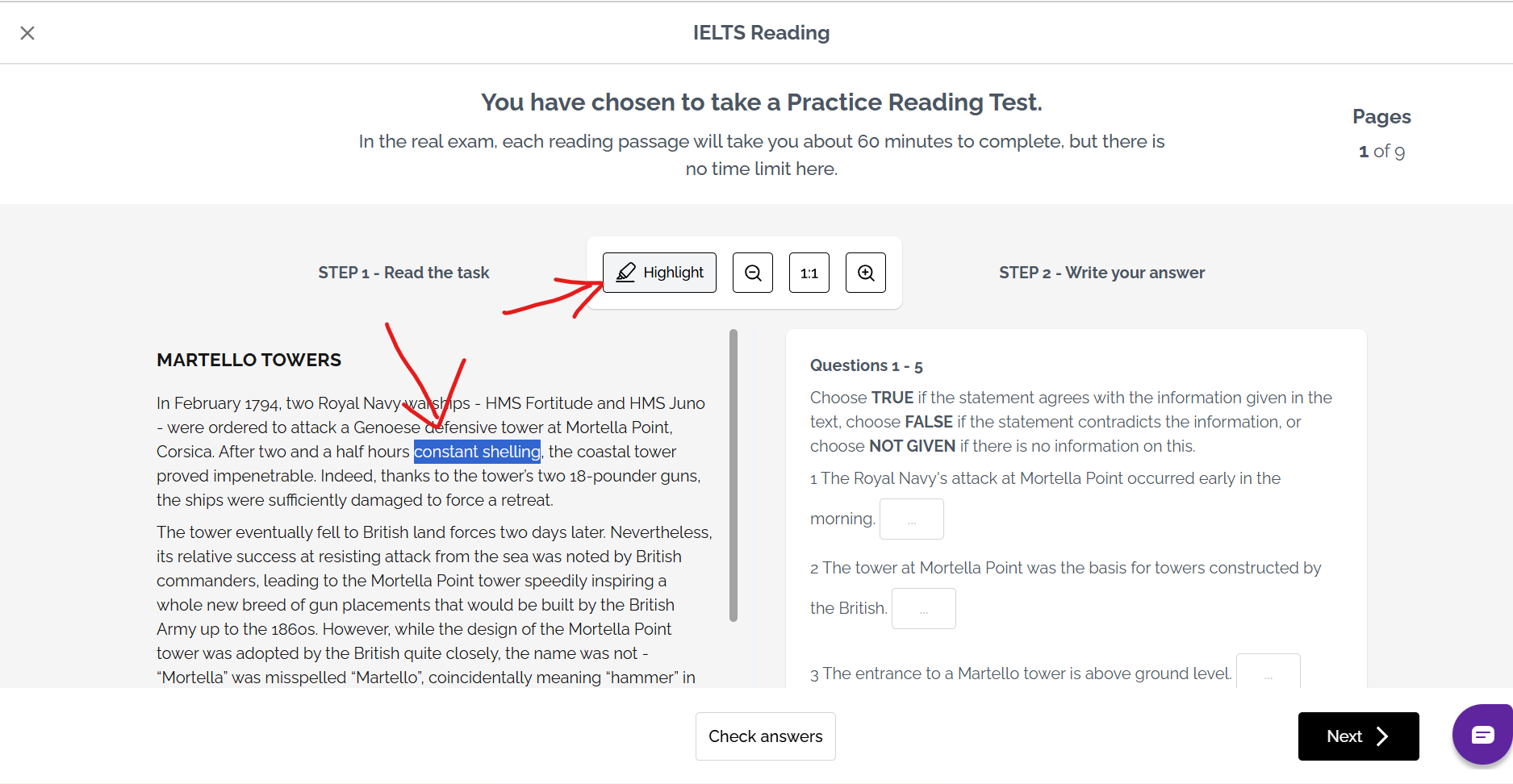
If doing a mock Reading test under strict exam conditions, the method of highlighting is the same as that in the real IELTS on-computer exam format with the exception that you do not need to right click to bring up the menu with highlight and notes options - this menu will appear automatically instead.
Was this article helpful?
That’s Great!
Thank you for your feedback
Sorry! We couldn't be helpful
Thank you for your feedback
Feedback sent
We appreciate your effort and will try to fix the article