Welcome to the site! You have access to IELTS training in our Study area and full sample tests and individual practice questions in Practice.
A good starting point is to take the AI Mini Mock Test for detailed AI feedback and scoring on all four skills. The AI Mini Mock Test is available for free to all users. Read the article to find out more and start your Mini Mock test today!
IELTS Ready Premium
IELTS Ready: Premium is a self-study site that also offers our FlexCheck AI feedback. You can use the site to learn and practice when you like, as much as you like. There is no single correct way to use the site.
However, if you don't know where to begin, we suggest the following three steps:
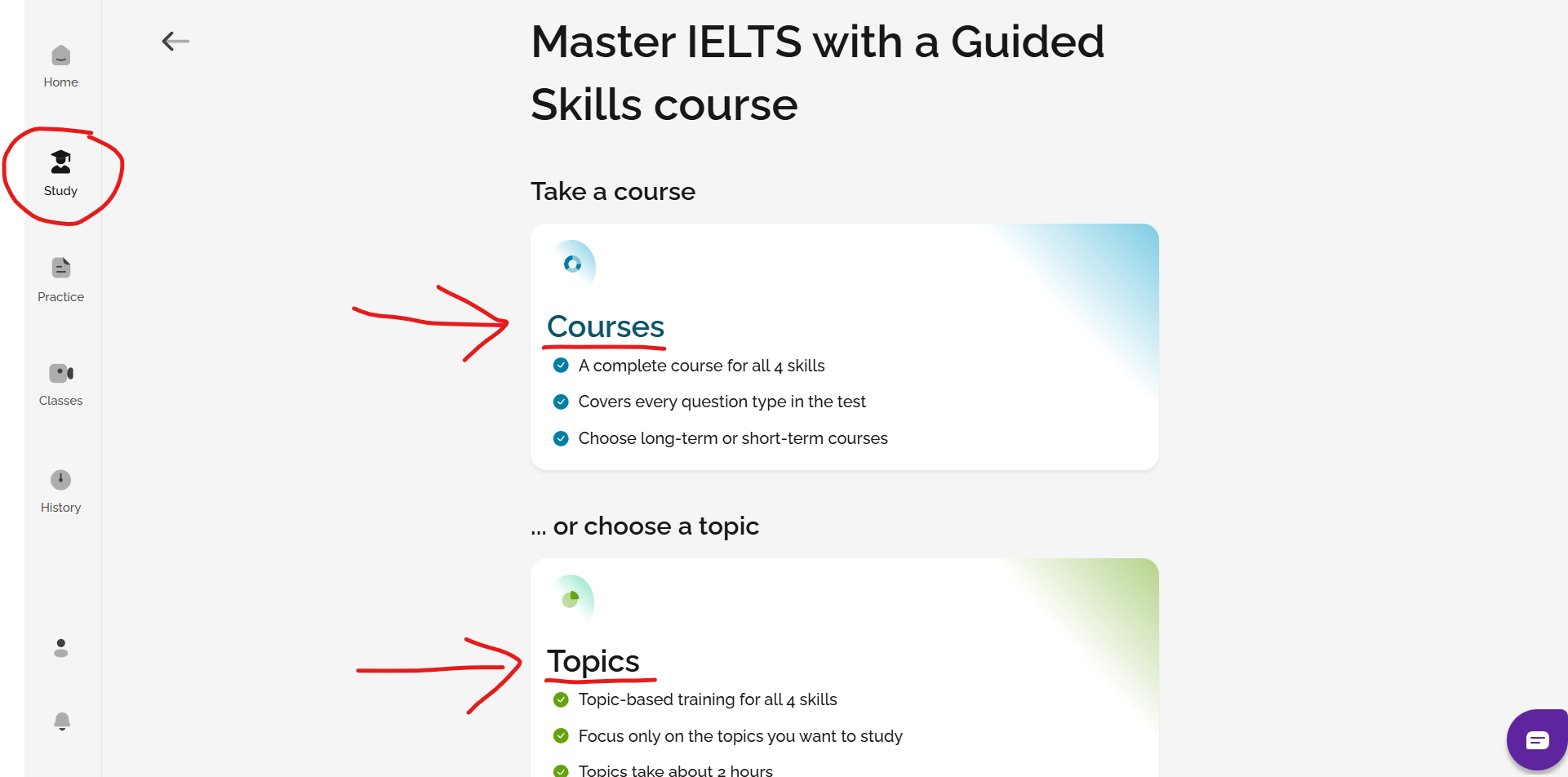
1. Study a course or a topic in the Study section
You can select a full course or a topic by skill to work on in the Study section of the site. The courses and topics will get you familiar with the format of the test and how to best prepare for it with classes, training and practice exercises.
2. Attend daily live classes and watch on-demand classes
We offer daily live webinars on all IELTS topics and general English to help you to improve! You can register to join the live class, or watch a pre-recorded on-demand class if you cannot attend. Choose Classes from the menu to see your options.
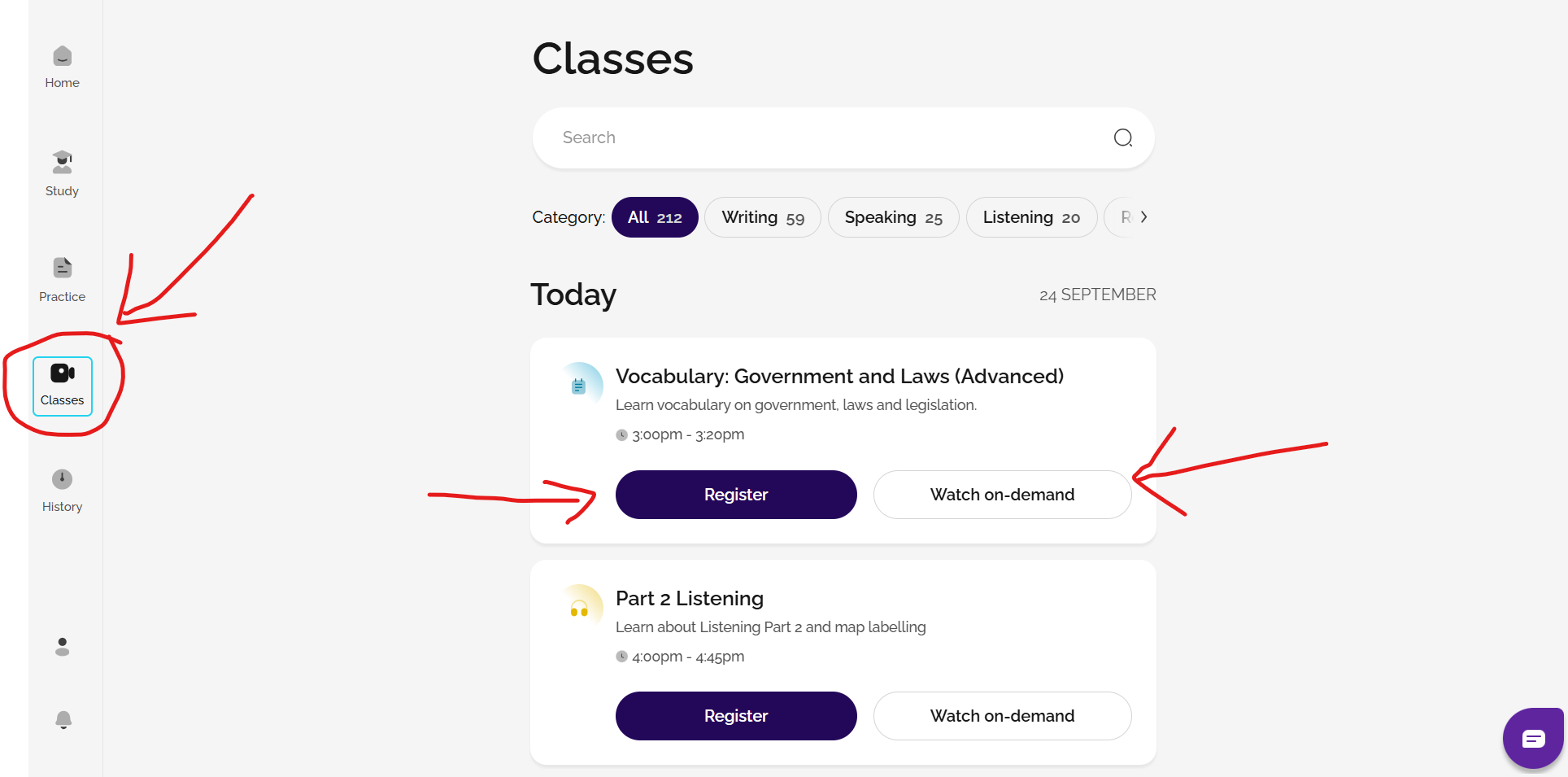
PLEASE NOTE that in line with British Council regulations, any registered user under the age of 18 cannot access the live GEL IELTS classes and so will not see a Classes tab on the left sidebar menu. For more information about this, please contact the British Council in your country directly.
However, pre-recorded versions of all of the live classes will still be available to you on the site in the 'Study' area. Go to Study and choose the skill and topic that you want to learn about. Then, click start next to the video class.
3. Practice!
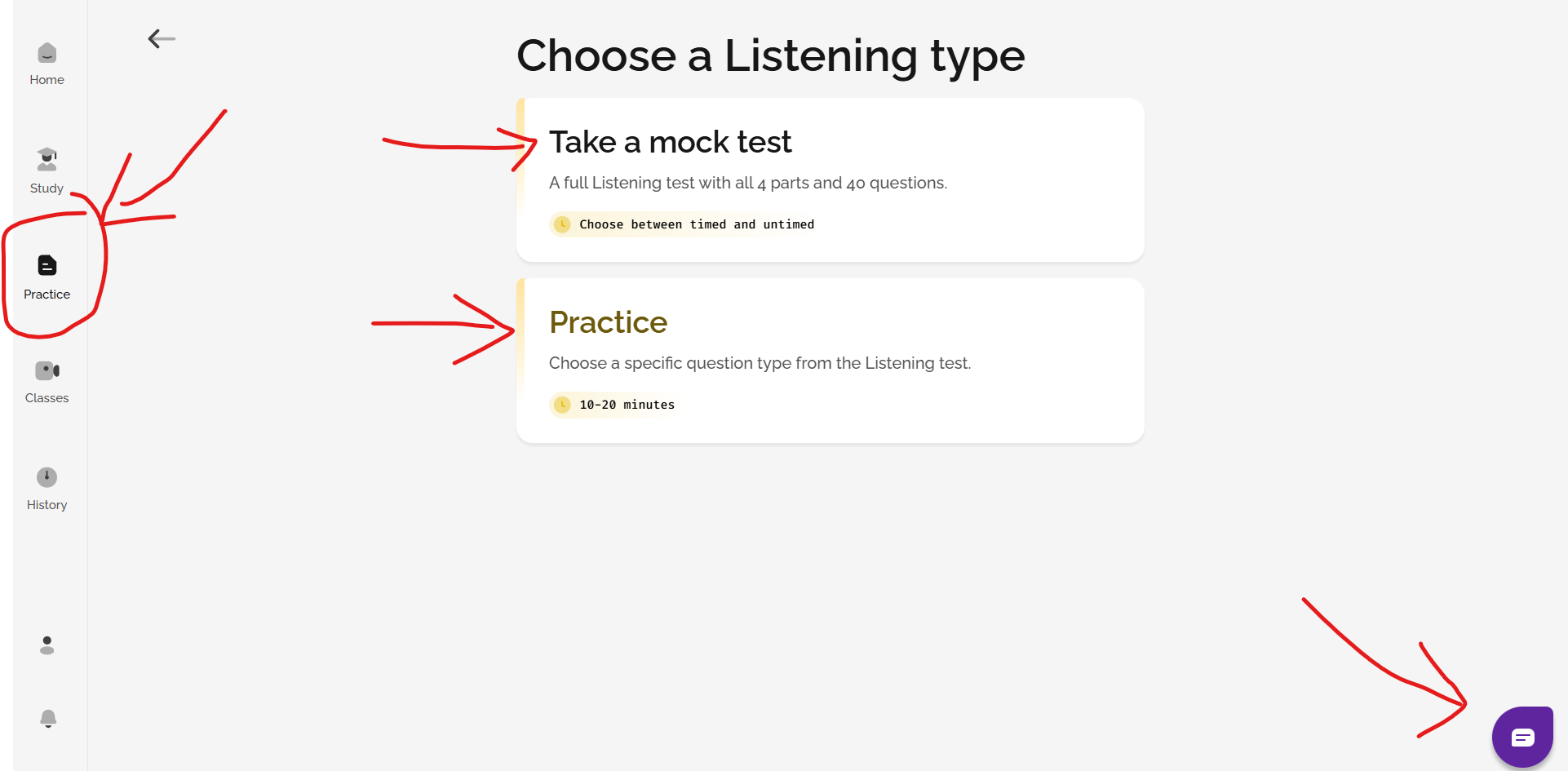
You can do full mock tests and also practice different question types for Reading, Writing, Listening and Speaking in the Practice section.
Remember, if you have any questions or need any assistance at any point, just click on the chatbot button at the bottom of any web page. We're here to help you!
4. Get FlexCheck AI for Writing/Speaking scoring and for feedback on Listening/Reading
If you want AI scoring and feedback for any Speaking or Writing practice you do, you can buy a Gateway or Advantage FlexCheck AI package. You will then receive a breakdown of your score based on the IELTS marking criteria, along with a vocabulary analysis. With an Advantage package, you will also receive detailed written feedback and pronunciation correction for Speaking.
FlexCheck AI packages also include AI generated feedback on every Listening and Reading question that you attempt. For incorrect answers, this feedback includes:
- an explanation of what the correct answer was and why it was correct
- an explanation of why your answer was wrong
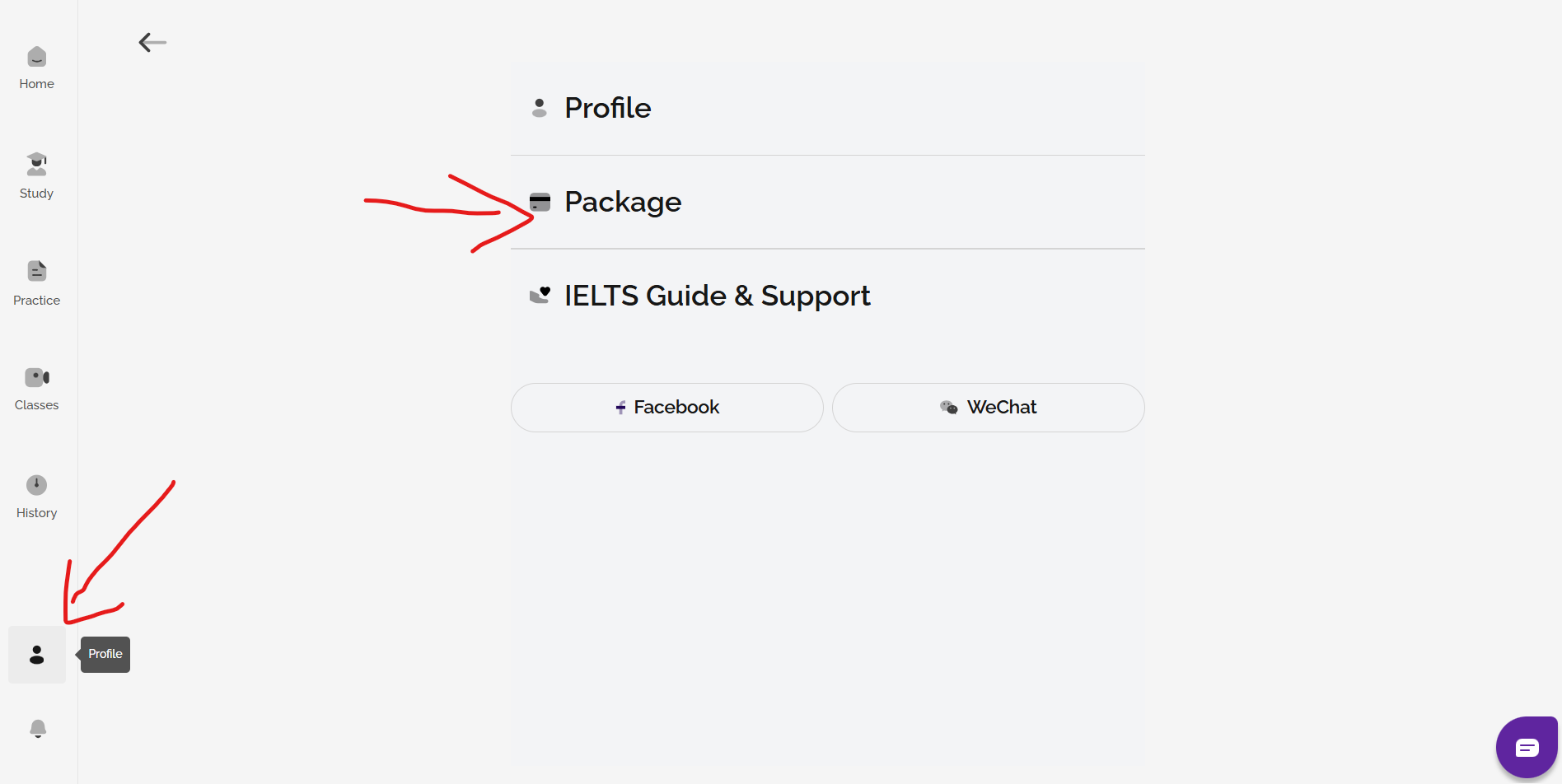
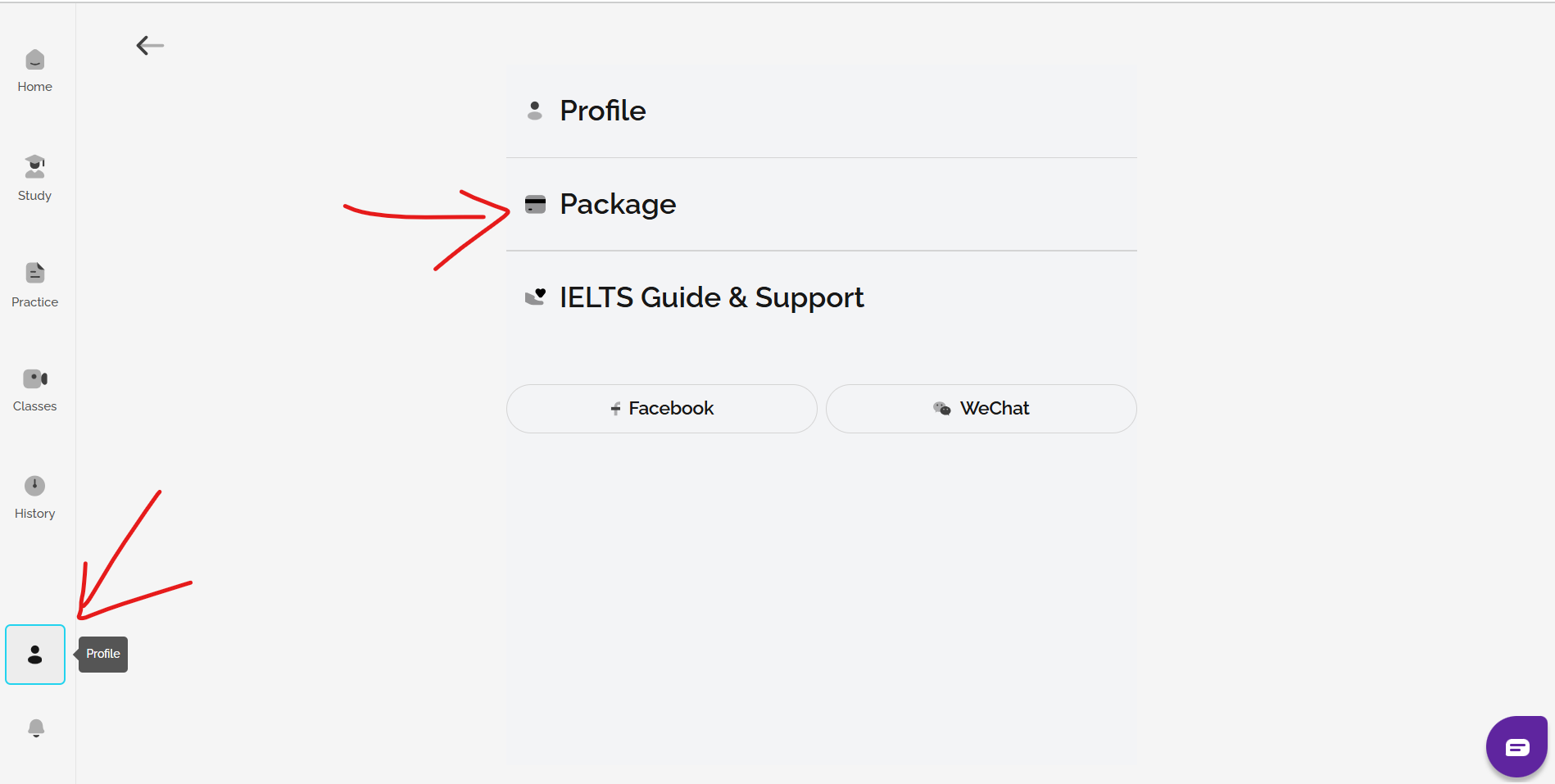
Go to profile and then package to see your options.
See: Which type of FlexCheck AI package is best for me?
Try FlexCheck AI for free with the AI Mini Mock Test and then choose from our Gateway or Advantage packages to continue using FlexCheck AI for all Speaking, Writing, Listening, and Reading questions. You can then receive AI feedback on your work, including anything saved on your History page, until your test date. For details of purchase options, go to Profile and Package.
See: What is the AI Mini Mock test
IELTS FLEX
IELTS FLEX is a self-study site that provides FlexCheck AI feedback and FlexLessons for 1-to-1 sessions with expert IELTS tutors. You can use the site to learn and practice at your own pace, whenever and as often as you like. There is no single correct way to use the site, but a good starting point is to take the AI Mini Mock Test for detailed AI feedback and scoring on all four skills. The AI Mini Mock Test is available for free to all users. Read the article to find out more and start your Mini Mock test today!
You can also choose to take a full Mock test. Go to Home, choose a skill and start your mock test. You can also book a 1-to-1 FlexLesson session with a tutor here if you would like some guidance or a personalised study plan.
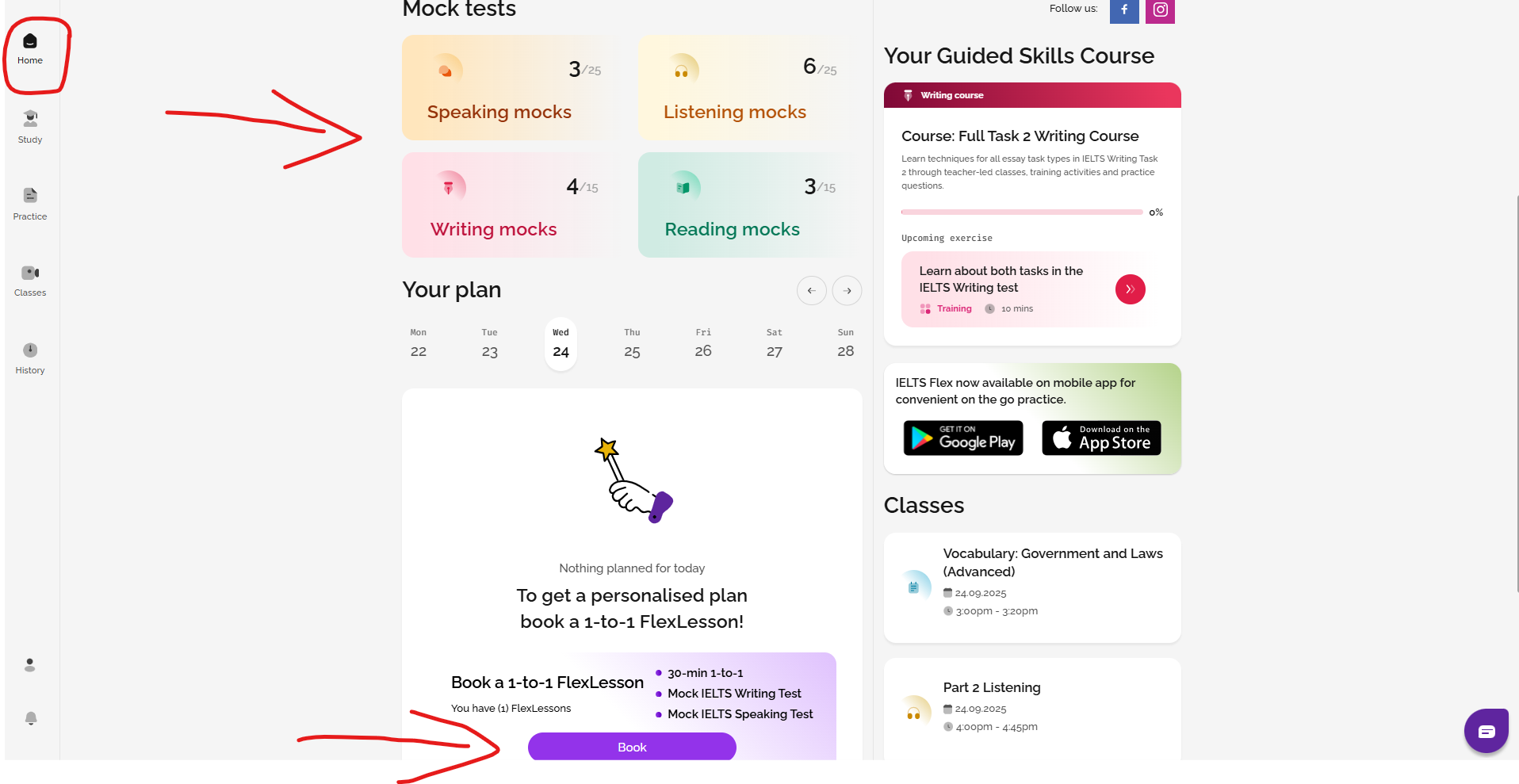
If you would like to get started by yourself, we suggest the following:
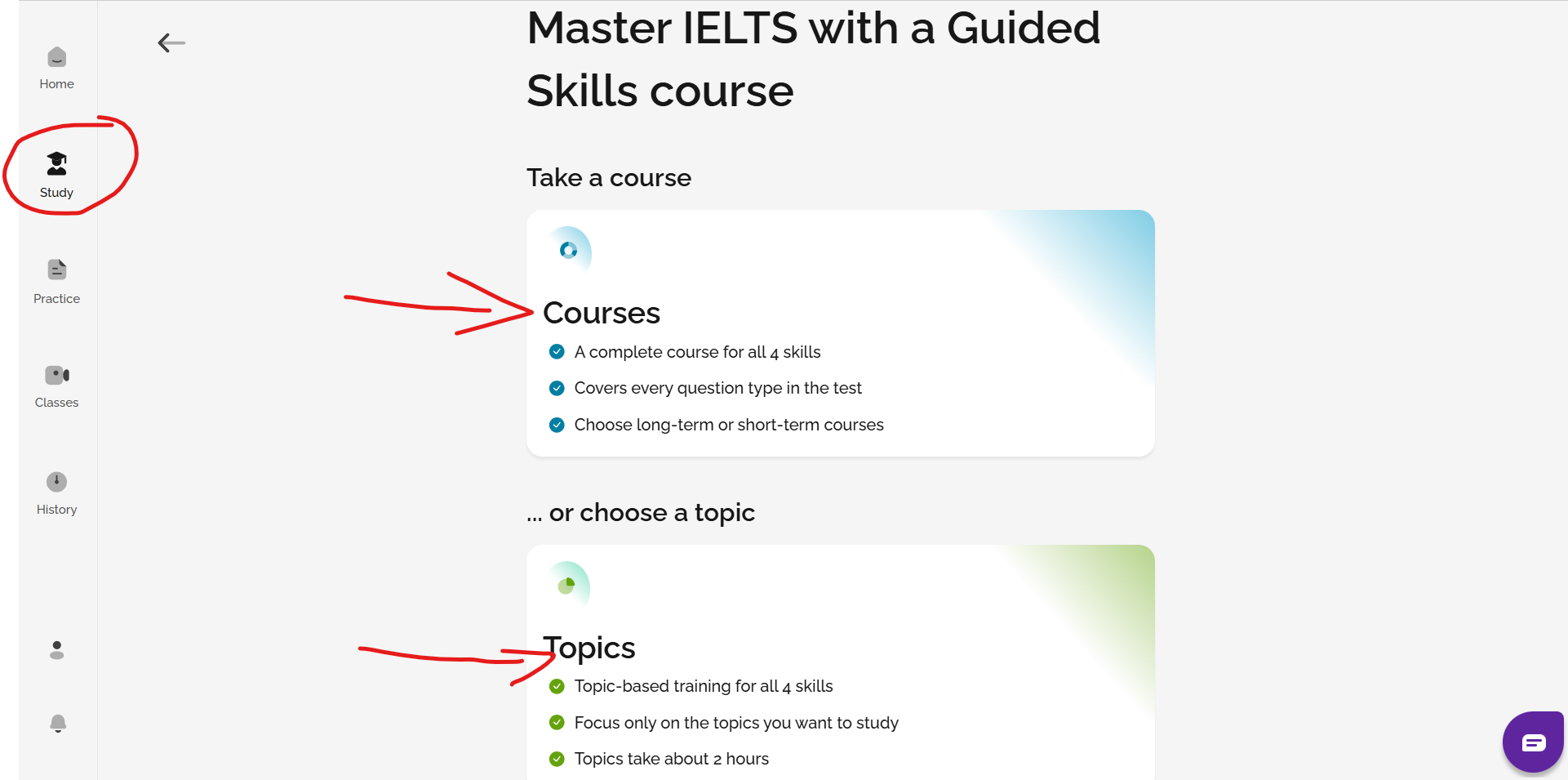
1. Study a course or a topic in the Study section
You can select a full course or a topic by skill to work on in the Study section of the site. The courses and topics will get you familiar with the format of the test and how to best prepare for it with classes, training and practice exercises.
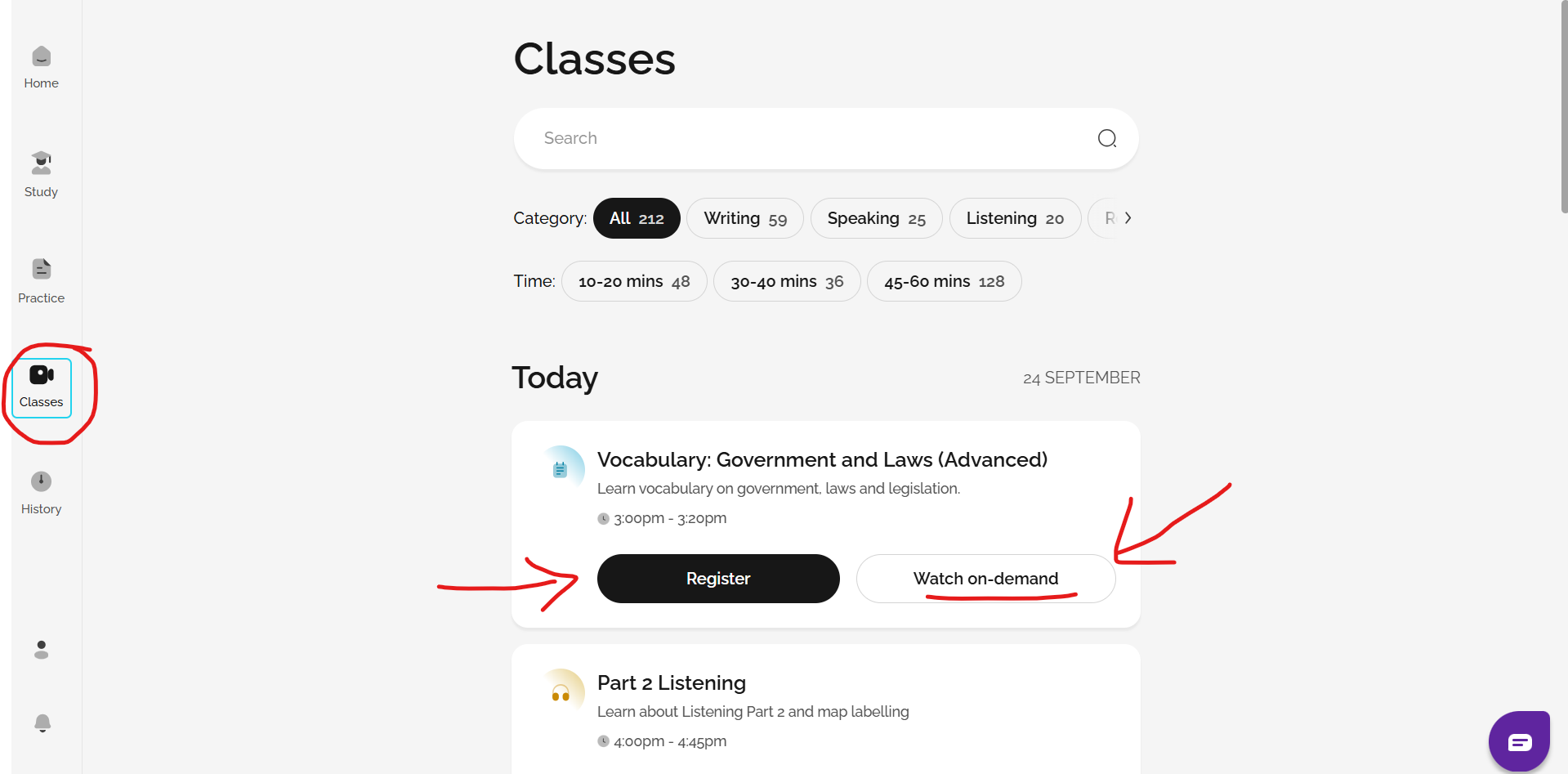
2. Attend daily live classes and watch on-demand classes
We offer daily live webinars on all IELTS topics and general English to help you to improve! You can register to join the live class, or watch a pre-recorded on-demand class if you cannot attend. Choose Classes from the menu to see your options.
PLEASE NOTE that in line with British Council regulations, any registered user under the age of 18 cannot access the live GEL IELTS classes and so will not see a Classes tab on the left sidebar menu. For more information about this, please contact the British Council in your country directly.
However, pre-recorded versions of all of the live classes will still be available to you on the site in the 'Study' area. Go to Study and choose the skill and topic that you want to learn about. Then, click start next to the video class.
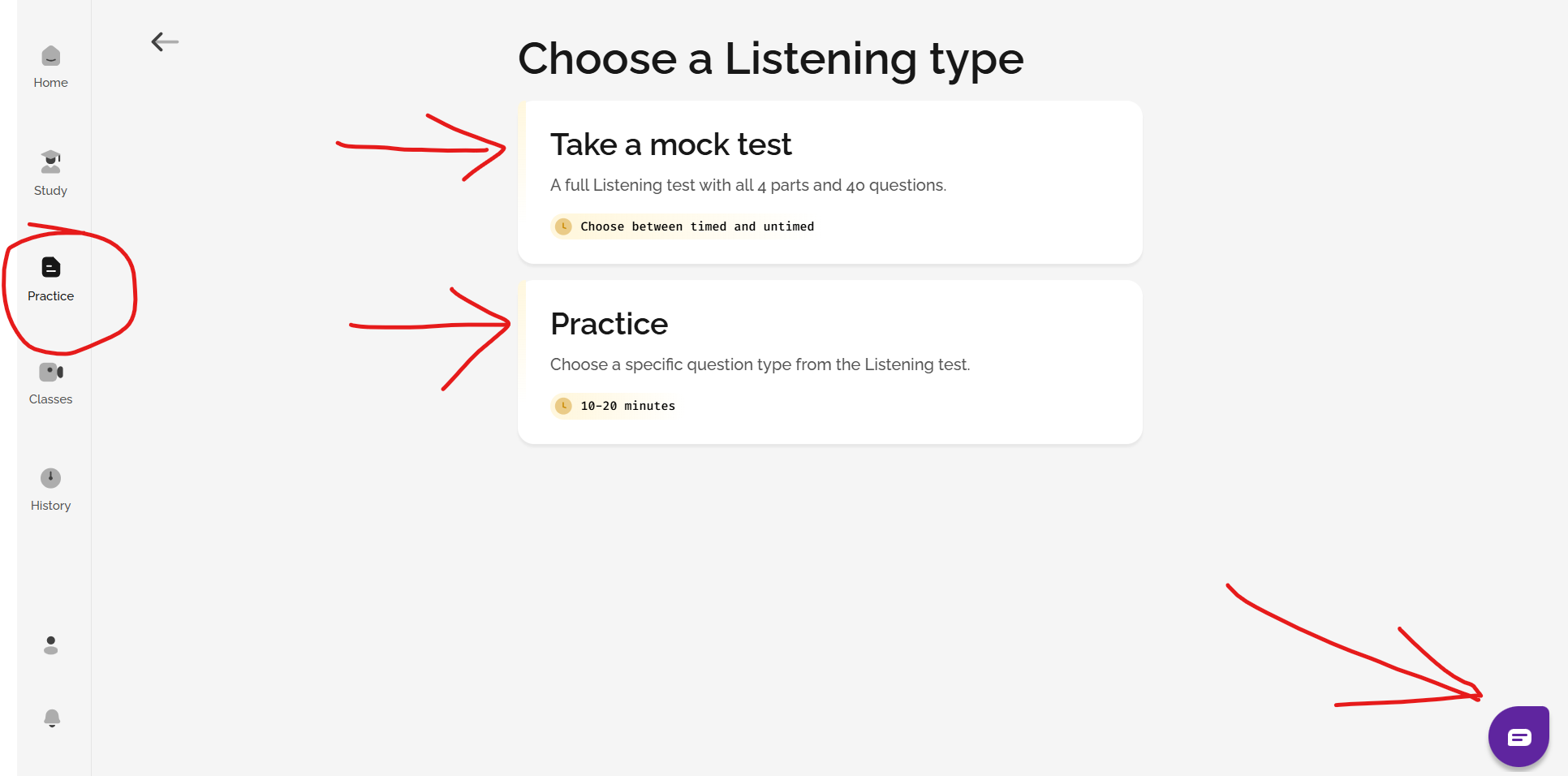
3. Practice!
You can do full mock tests and also practice different question types for Reading, Writing, Listening and Speaking in the Practice section.
Remember, if you have any questions or need any assistance at any point, just click on the chatbot button at the bottom of any web page. We're here to help you!
4. Get FlexCheck AI feedback for Speaking and Writing
For every piece of Writing or Speaking practice or mock test that you complete, you can choose FlexCheck AI feedback, which will give you a breakdown of your score based on the IELTS marking criteria, written feedback, a vocabulary analysis and (for Speaking) pronunciation correction.
FlexCheck AI packages also include AI generated feedback on every Listening and Reading question that you attempt. For incorrect answers, this feedback includes:
- an explanation of what the correct answer was and why it was correct
- an explanation of why your answer was wrong
Go to profile and then package to see your options.
Try FlexCheck AI for free with the AI Mini Mock Test and then choose from our Gateway or Advantage packages to continue using FlexCheck AI for all Speaking, Writing, Listening, and Reading questions. For details of purchase options, go to Profile and Package.
See: What is the AI Mini Mock test
See: Which type of FlexCheck AI package is best for me?
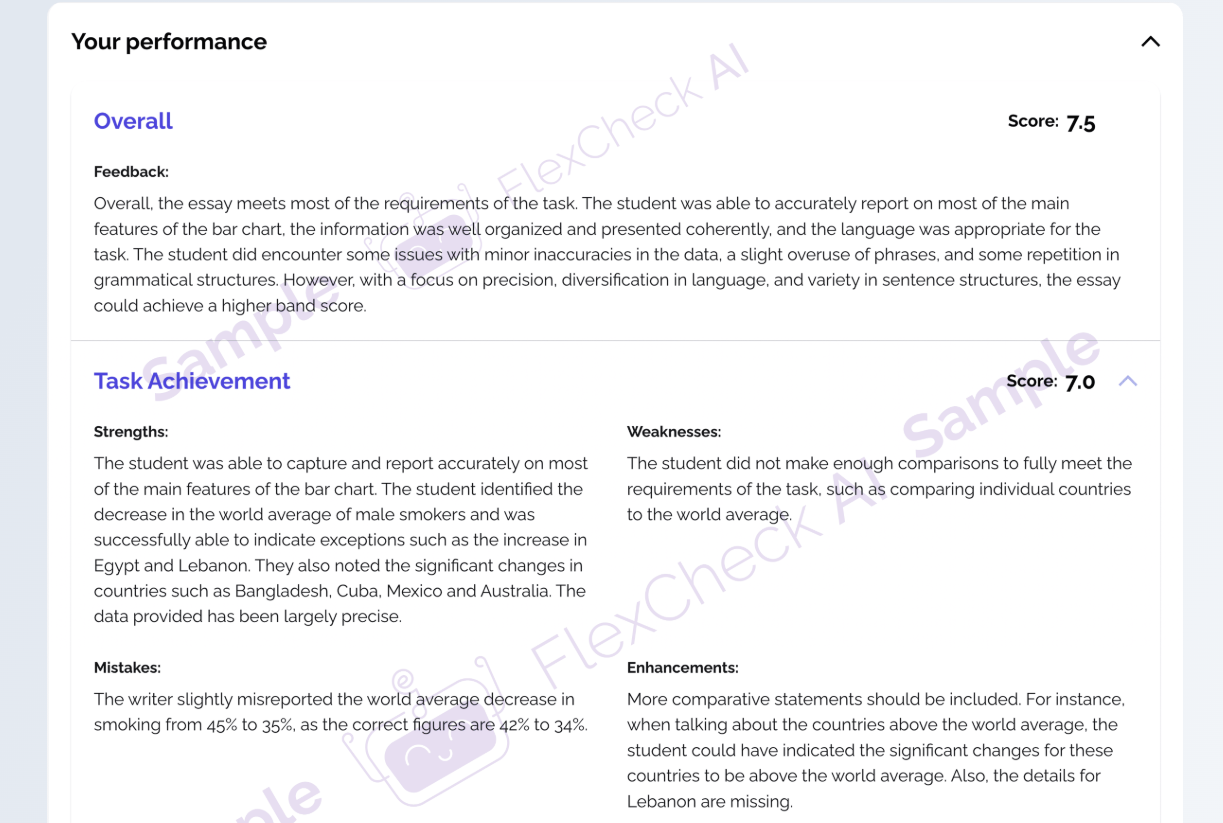
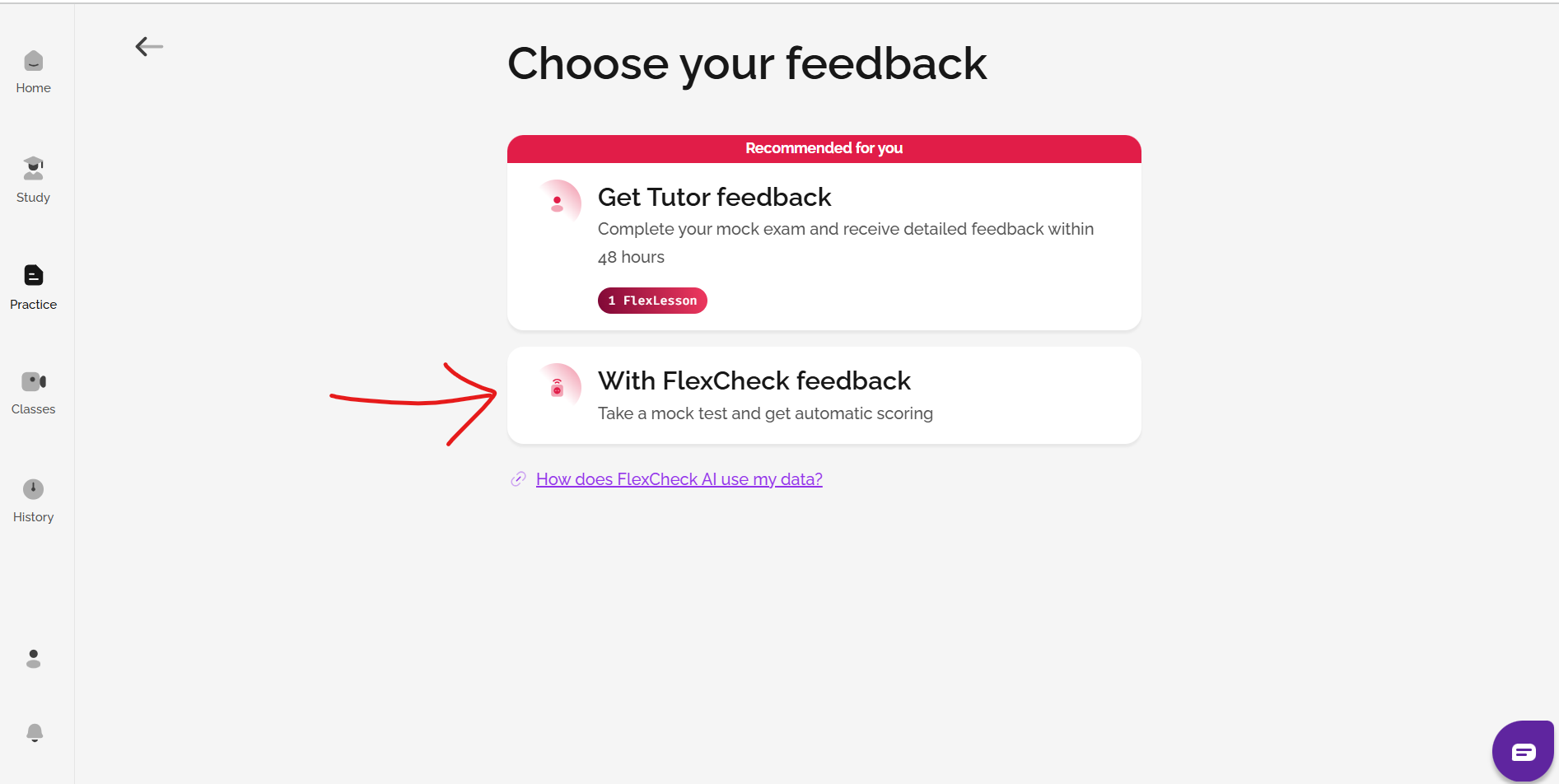
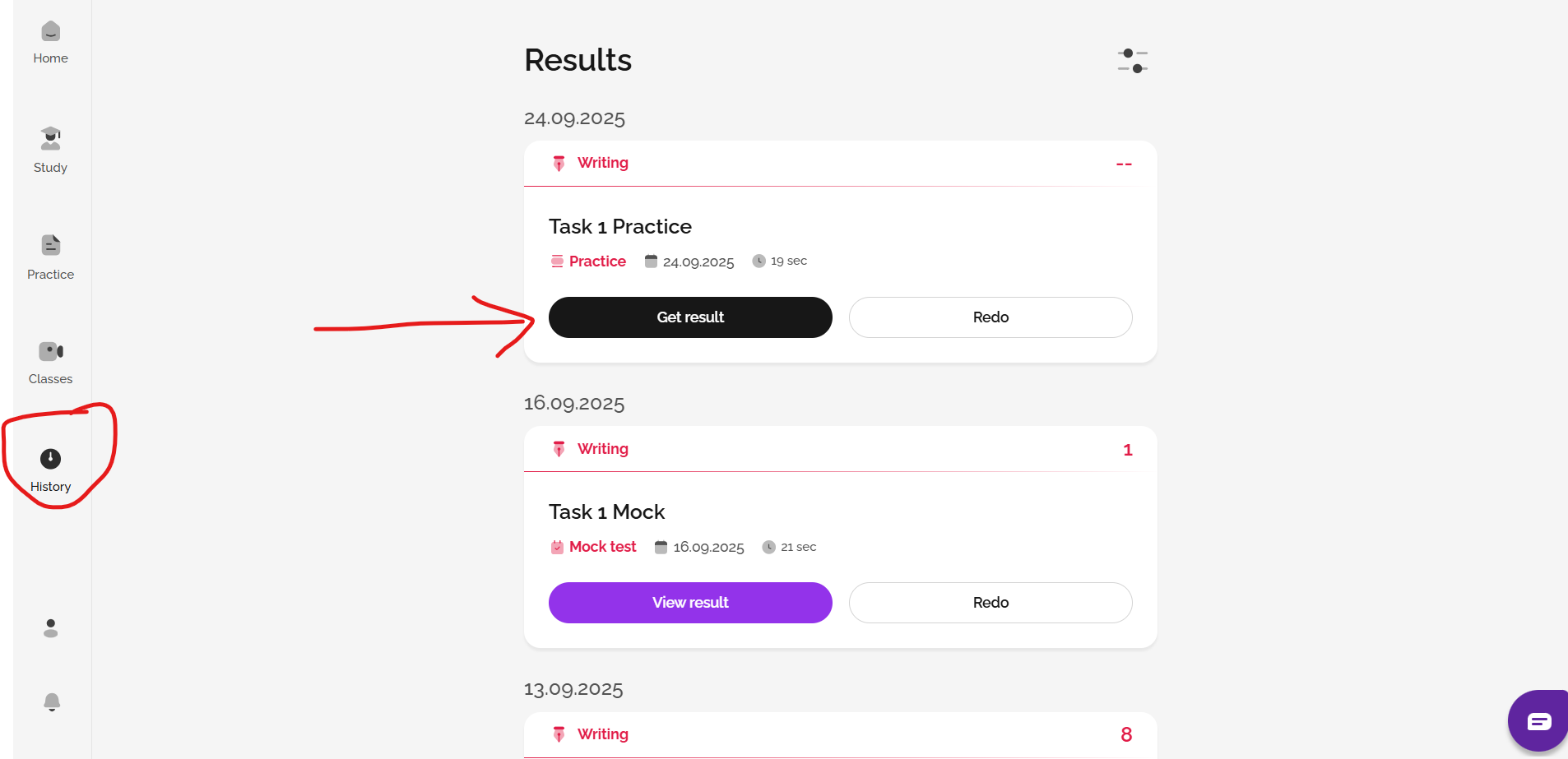
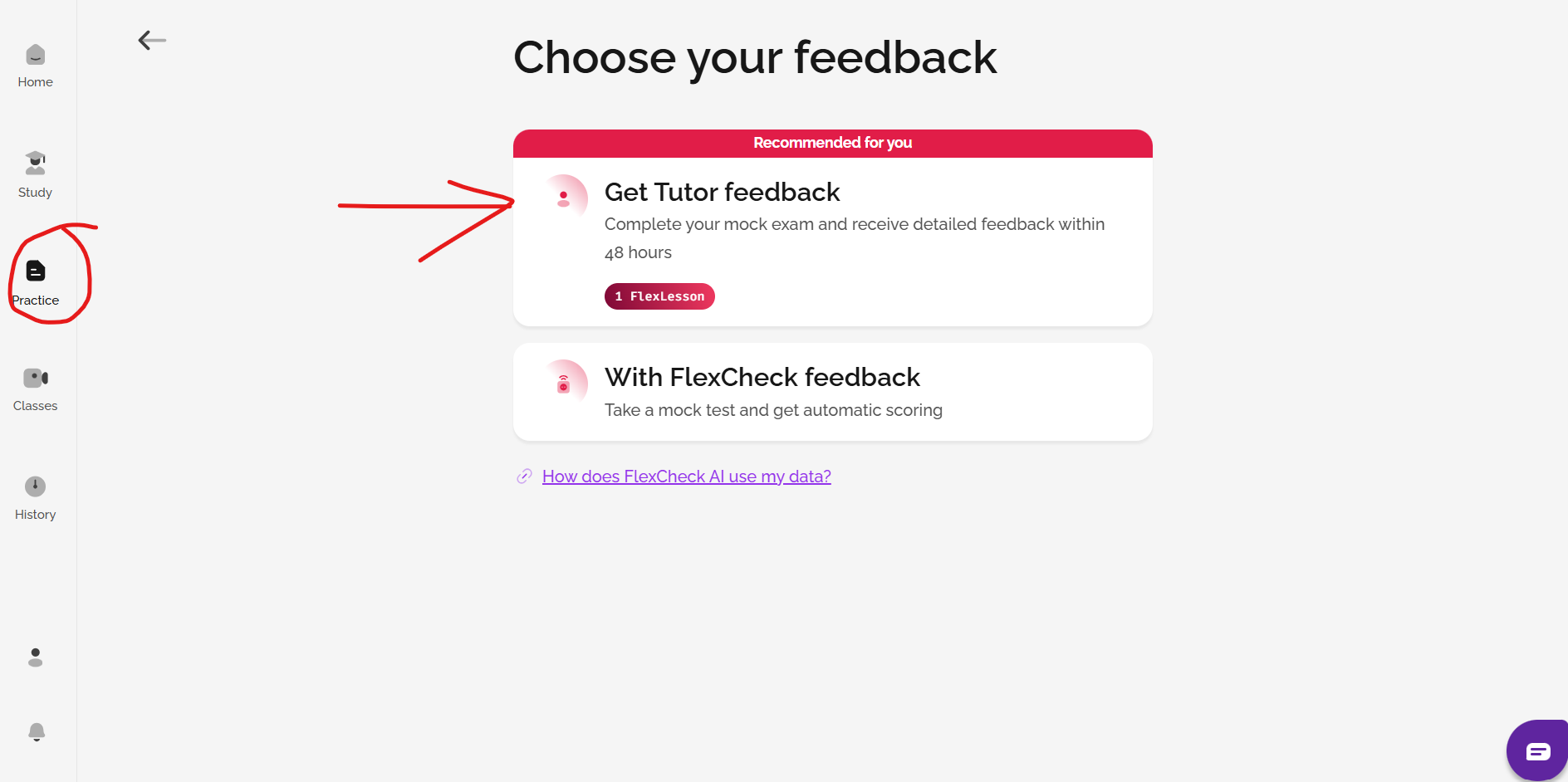
When you choose to do a mock test from the Practice area, you can select With FlexCheck feedback. After you finish a piece of Speaking or Writing practice in the Practice section, you can also choose to add FlexCheck AI. Go to History, find the practice activity or mock exam, and choose Get result.
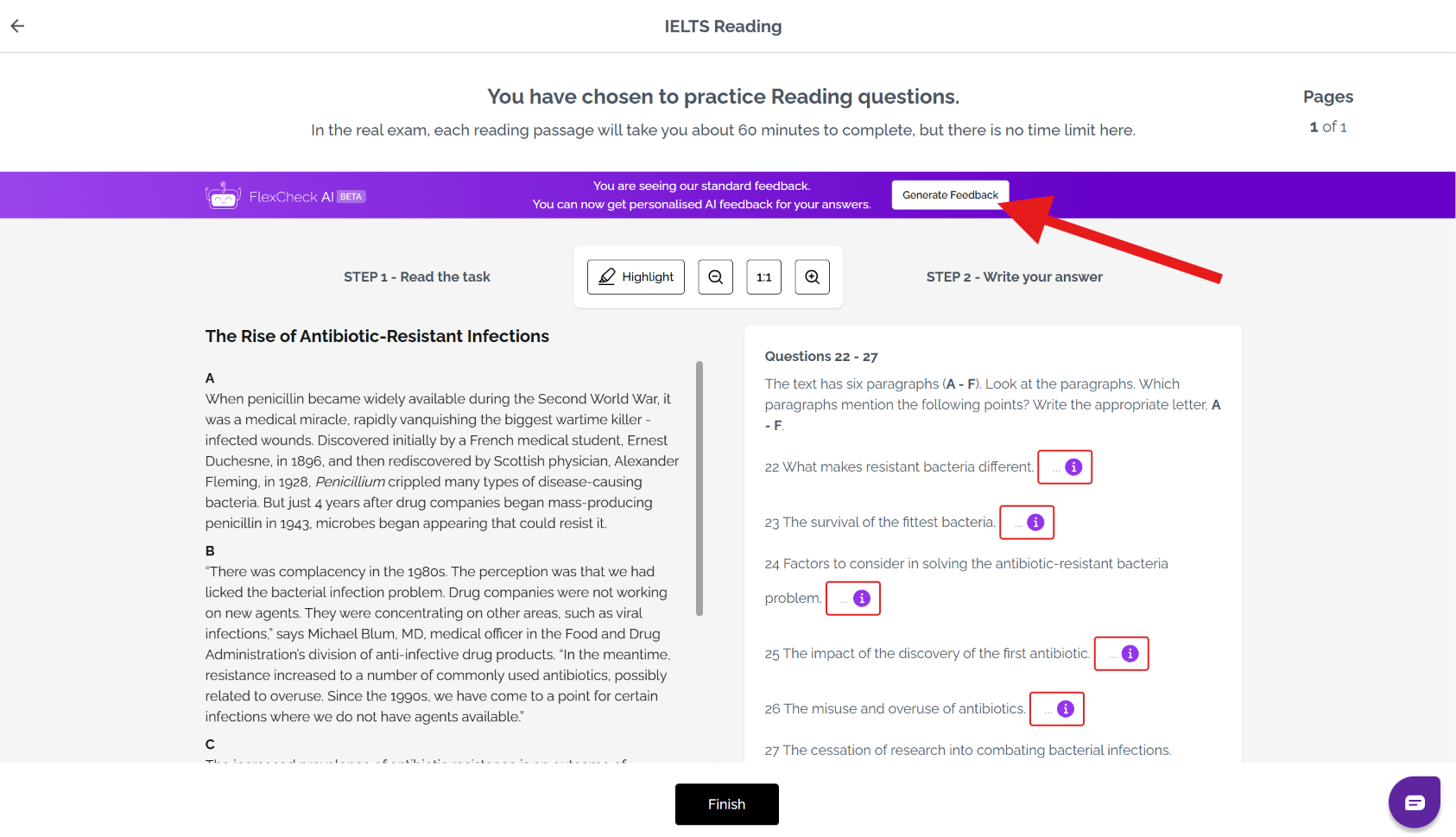
You can also generate FlexCheck AI feedback on older Listening and Reading tasks from your history area by viewing the task and then clicking on generate feedback to get your AI feedback.
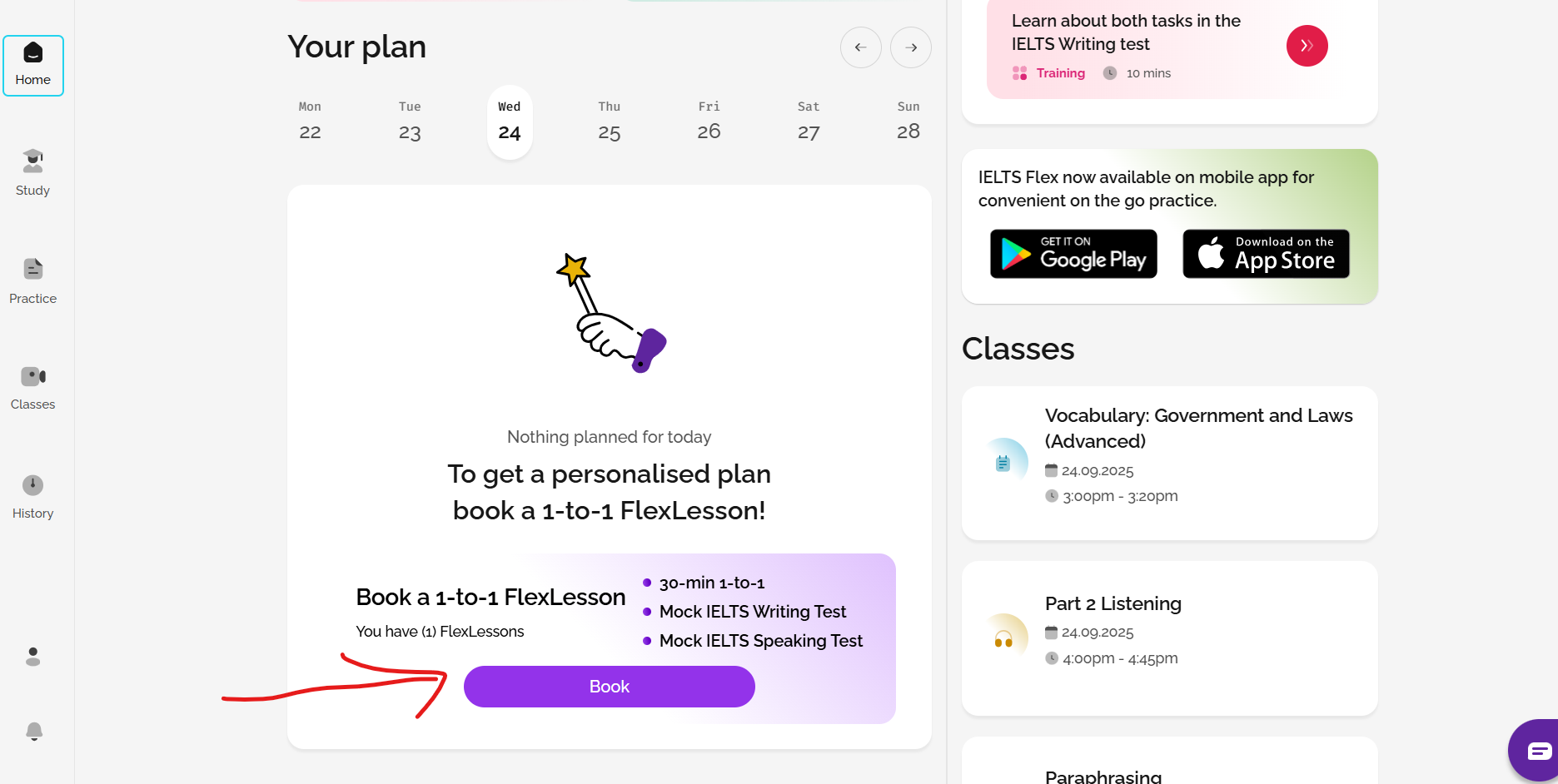
5. Book a FlexLesson for tutor feedback on Writing and Speaking.
For guidance on how to progress, you can also speak to a tutor for a 30-minute session. Your tutor can:
- Look at your results and give you advice on how to improve.
- Give you guidance on how to answer questions.
- Assist you with any English-language or IELTS strategy questions you might have.
- Create a study plan on your calendar with recommended activities.
Please note that this service is only available if you have FlexLessons. You can book tutoring sessions from the Home page or the Practice section. You can buy FlexLessons by going to profile and then package.
Was this article helpful?
That’s Great!
Thank you for your feedback
Sorry! We couldn't be helpful
Thank you for your feedback
Feedback sent
We appreciate your effort and will try to fix the article