When you first log in to our site, you will be asked to select the IELTS Academic Training test or the IELTS General Training test, or this will be selected for you as a British Council user.
Most users do not need to change this, because most people take only one type of test.
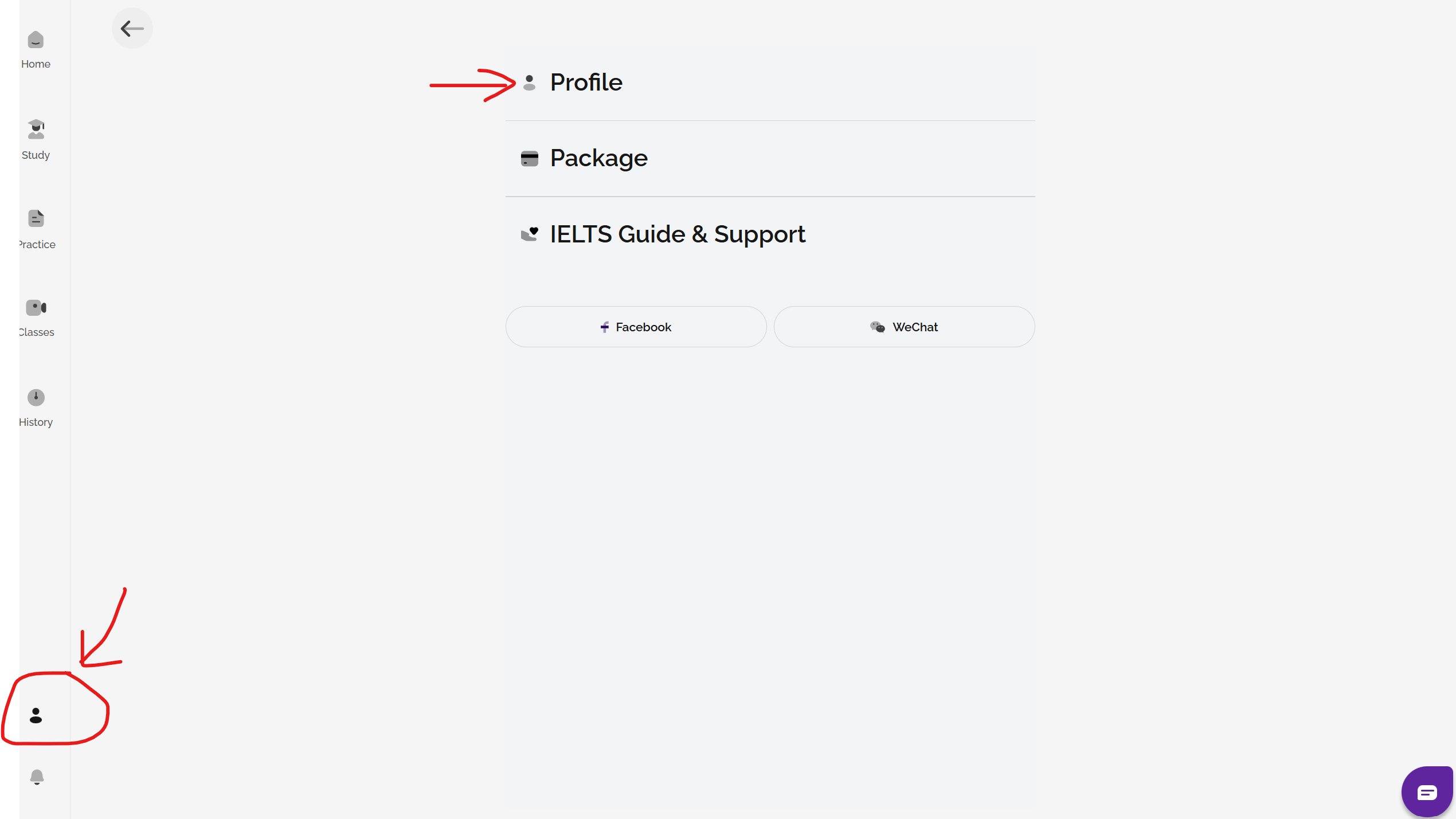
If you are using the IELTS Ready Premium website for your preparation, it is possible to change your exam type manually on the site once you have created your account. To do this, go to profile on the left sidebar menu and then click on the profile option.
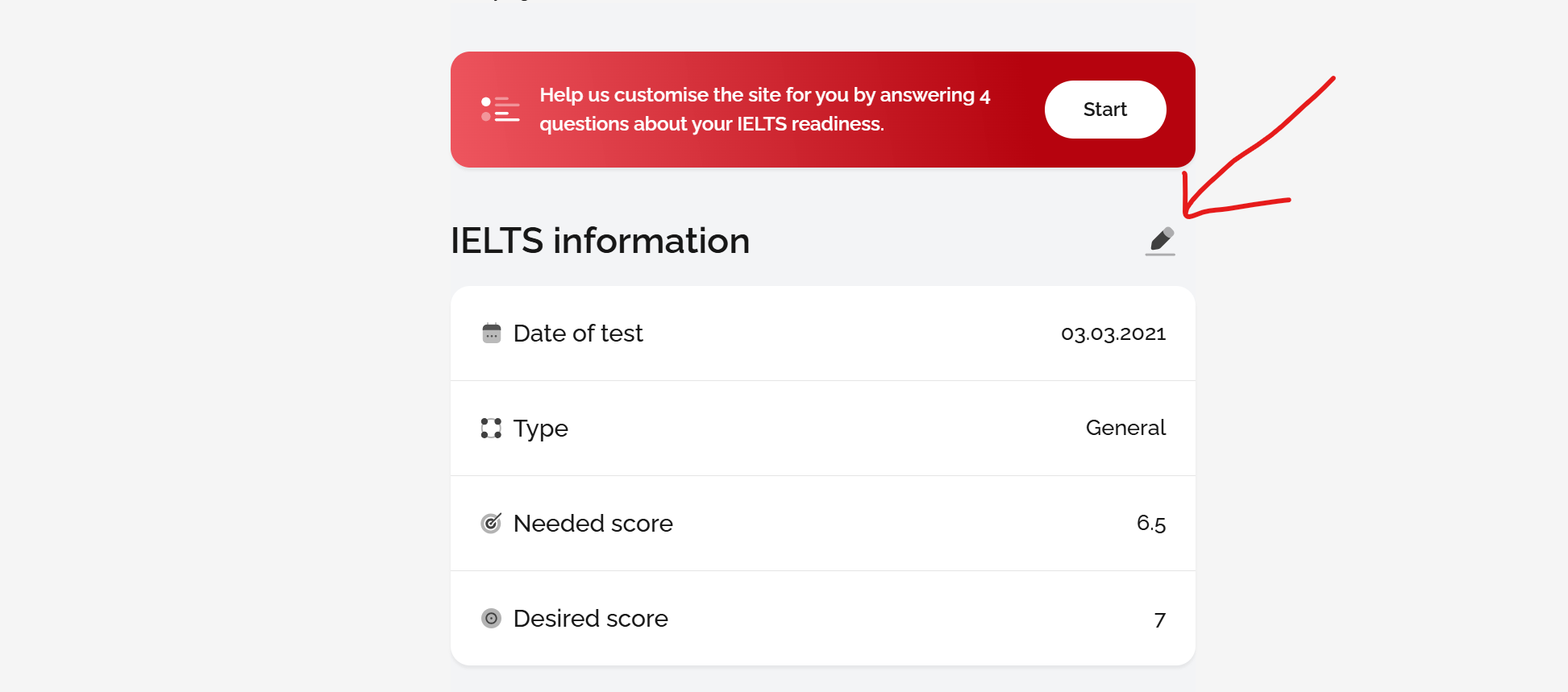
After this, click on the pen symbol to edit your preferences:
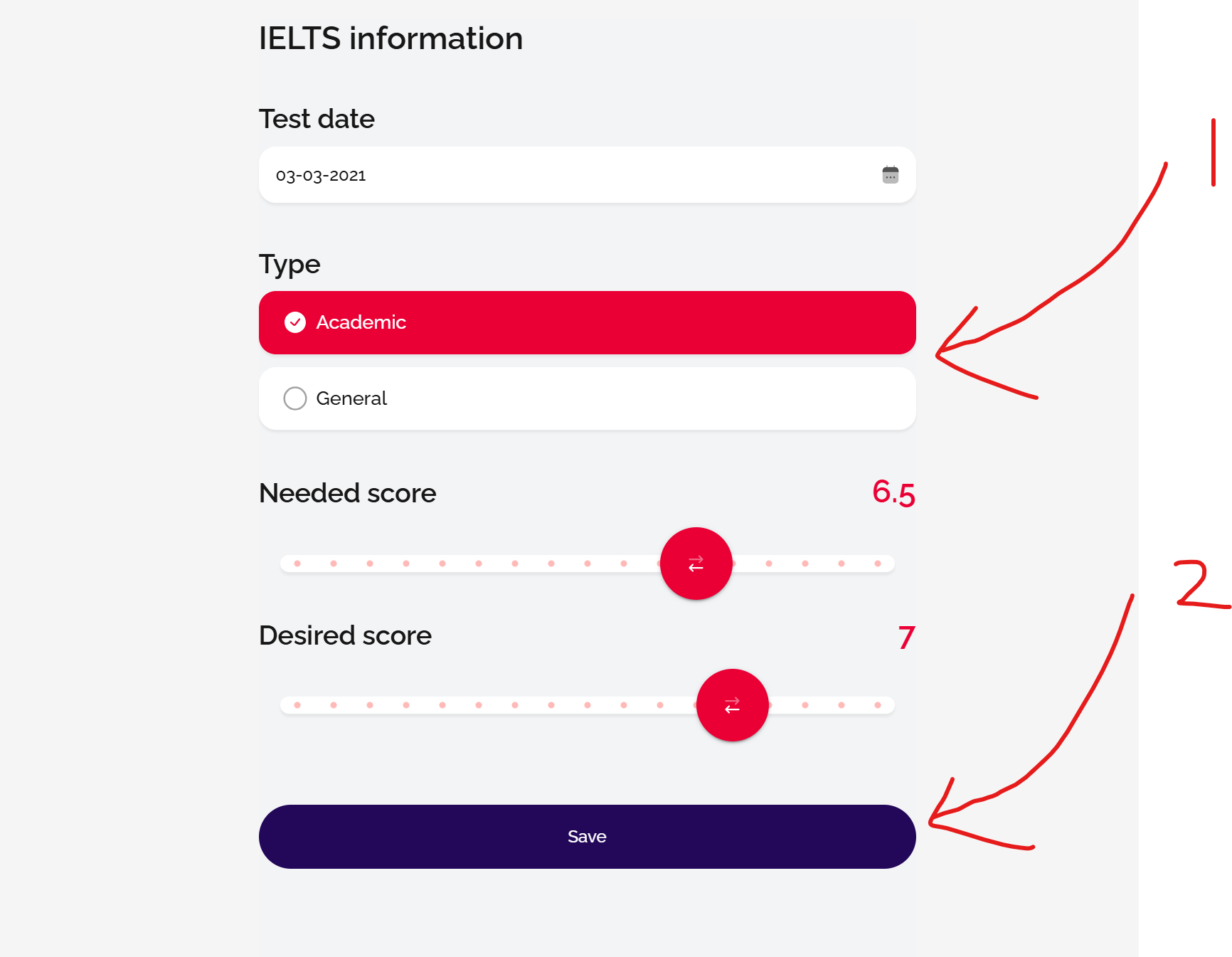
Finally, select the test type you need and click save:
You should only change your test type on the website if it is currently displaying the wrong test type. This is extremely rare, so if you think your account is showing the wrong test type, your first step should be to confirm with your test centre or the British Council in your country exactly what type of test you booked.
PLEASE NOTE that changing your test type on the website does NOT change the type of test you have booked with the British Council. To make changes to your real test booking, you must contact your test centre directly or contact the British Council in your country.
If you are unable to change your test type on the site or have any doubts at all, you can contact us using the chatbot button in the bottom right-hand corner of any page of the site, or email us on support@gelielts.com with your query.
See also: What is the difference between Academic and General Training IELTS?
Was this article helpful?
That’s Great!
Thank you for your feedback
Sorry! We couldn't be helpful
Thank you for your feedback
Feedback sent
We appreciate your effort and will try to fix the article