The test date on this site is intended to show you how close you are to your test. It also helps us know how to assist you. Changing your test date on this site will not change your real IELTS exam date.
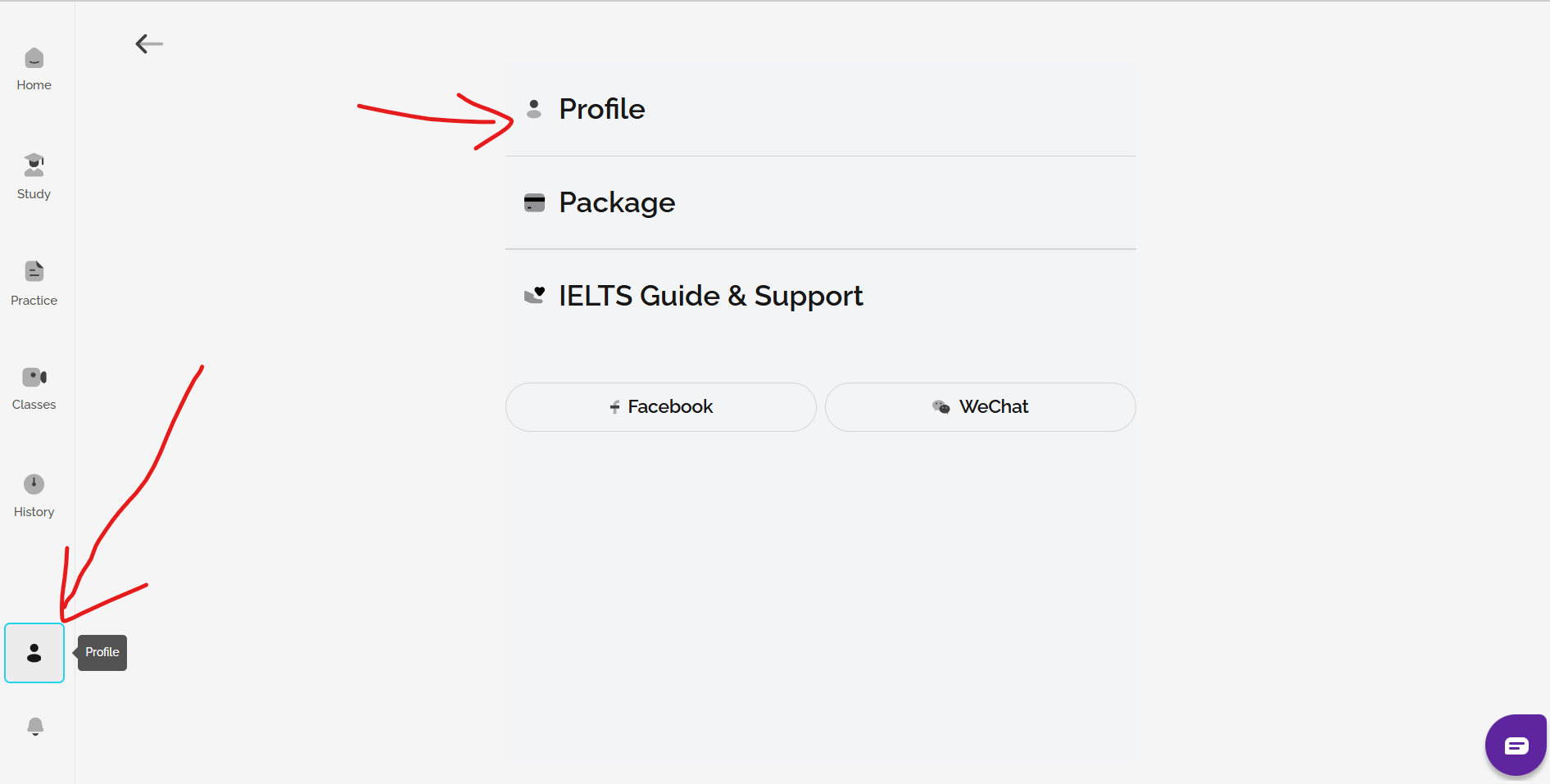
To change your test date on the site, go to your IELTS FLEX or IELTS Ready Premium homepage and click on Profile, then profile. Then, click on the pen symbol to edit your test date as shown:
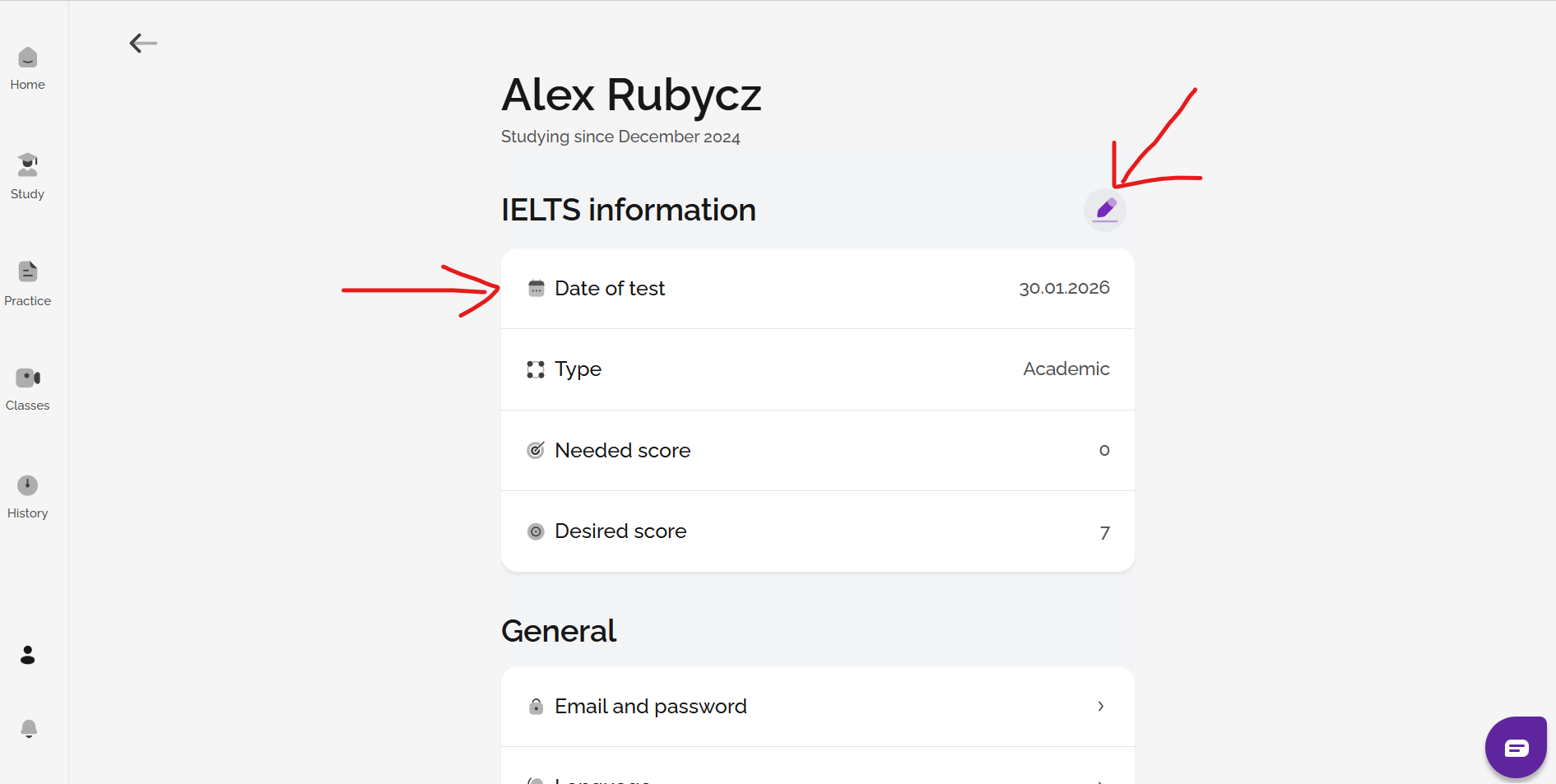
Please note: this will not change your real IELTS test date booking if you have already booked a test. To change the date of your real IELTS test, you must contact your IELTS exam provider, i.e. the British Council, or contact your exam centre directly.
Was this article helpful?
That’s Great!
Thank you for your feedback
Sorry! We couldn't be helpful
Thank you for your feedback
Feedback sent
We appreciate your effort and will try to fix the article