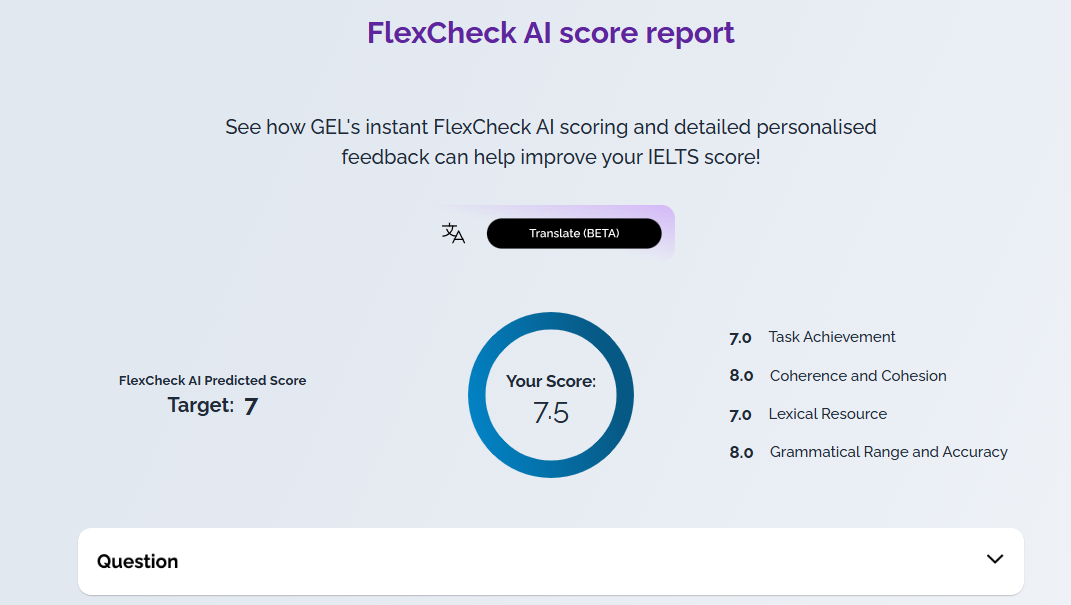
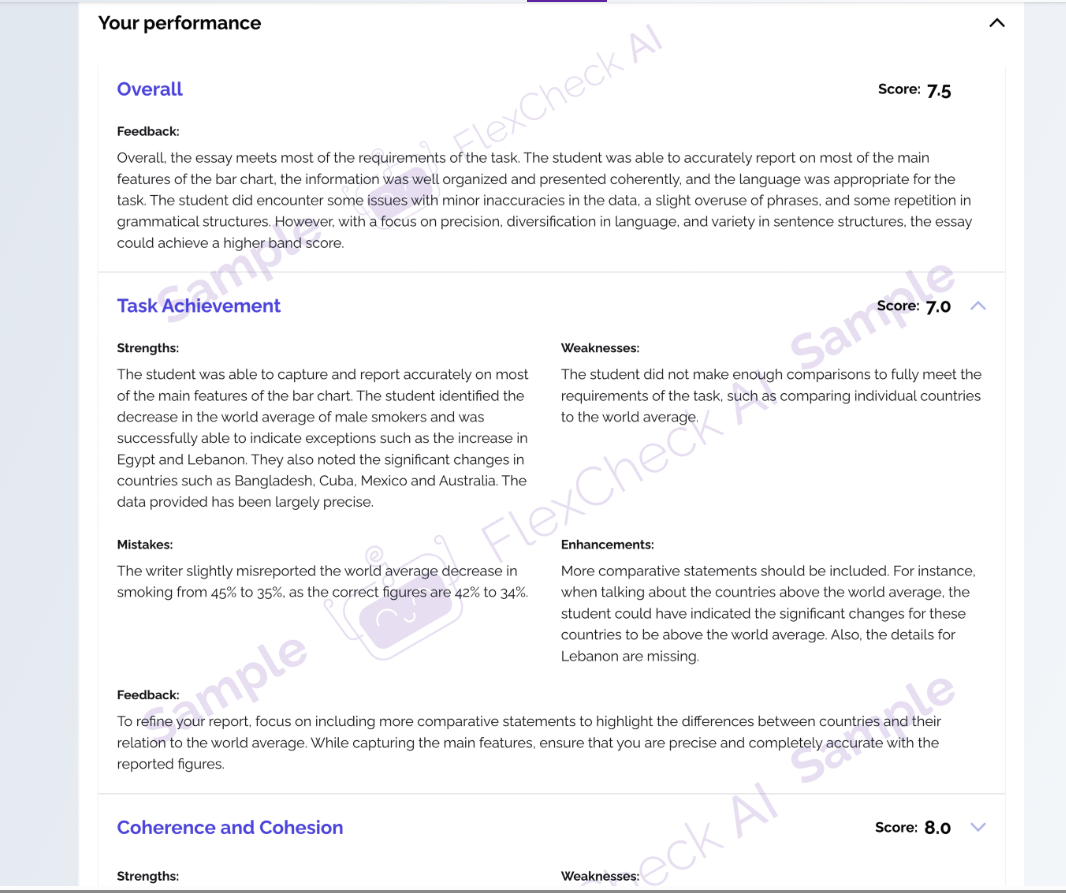
With a Gateway or Advantage FlexCheck AI package you can get immediate feedback on Speaking and Writing mock tests and practice. The custom-built IELTS AI software is designed to give you a breakdown of your score in each marking criteria, written feedback, a vocabulary analysis and example answers.
To use FlexCheck AI, complete a mock test or practice task for Speaking or Writing, and choose With FlexCheck feedback.
Below as seen on IELTS Ready Premium: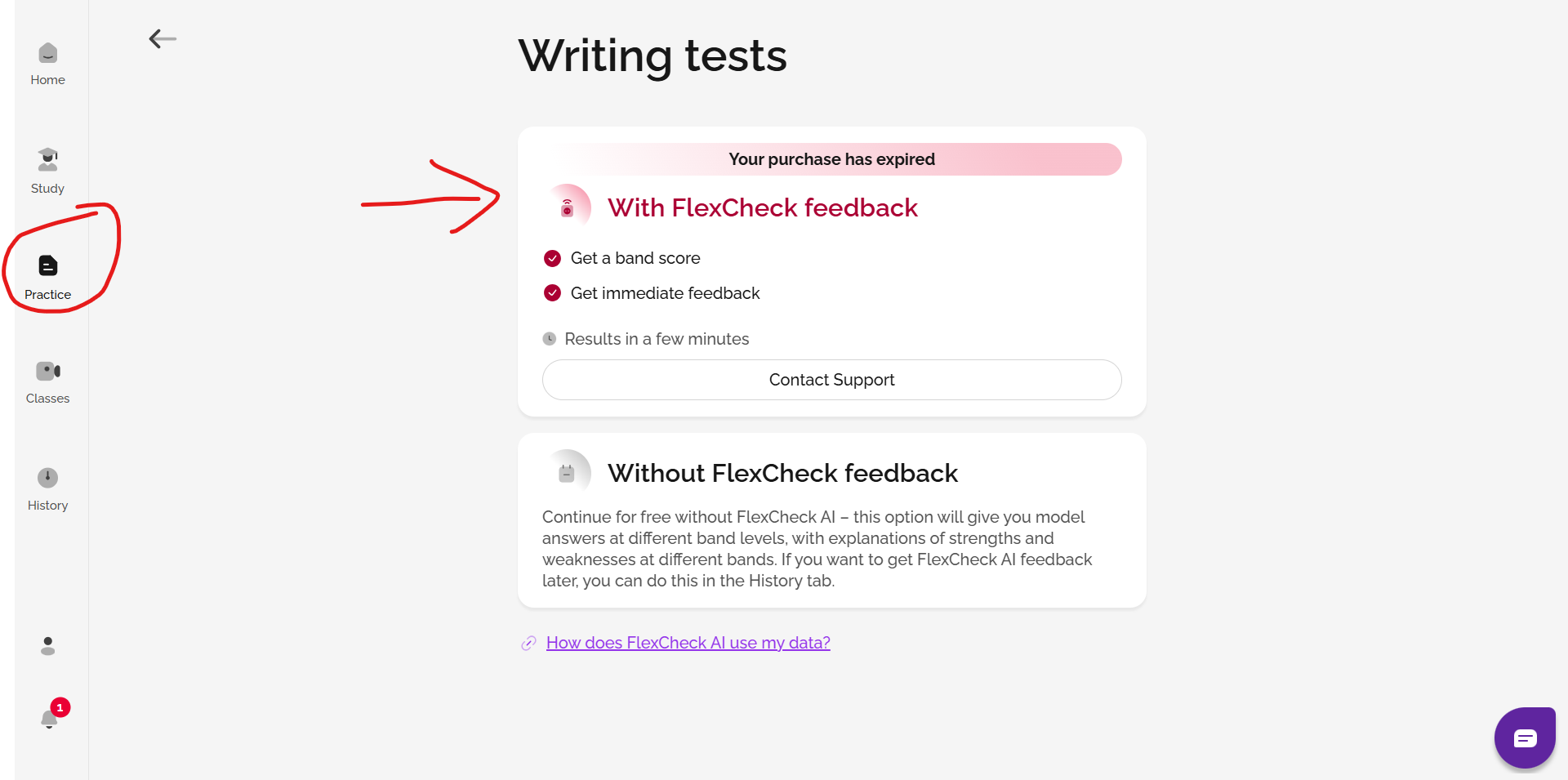
And, below as seen on IELTS FLEX:
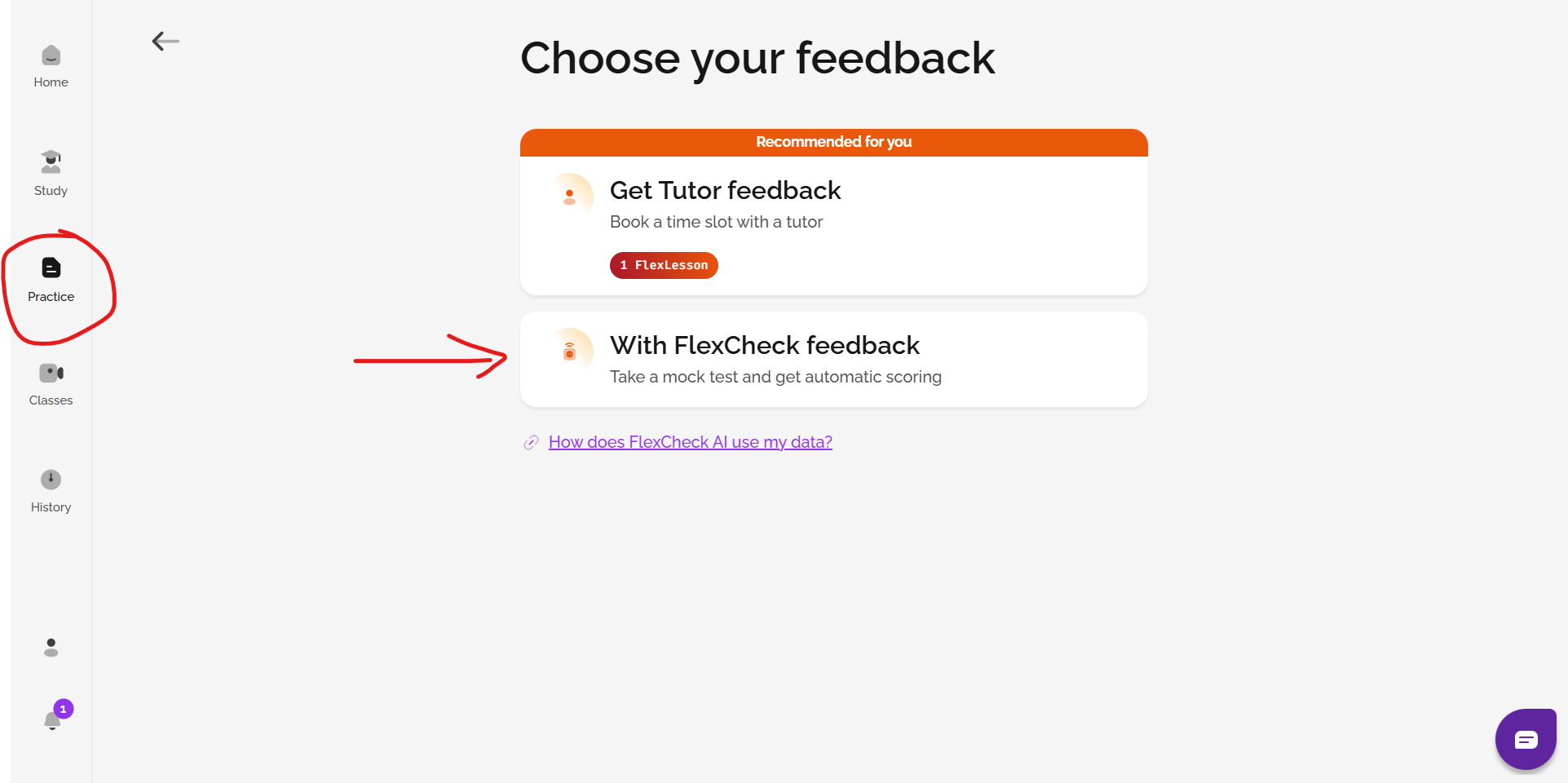
To get FlexCheck AI feedback for a practice activity or mock test you've already done, simply go to History, find the activity, and click Get Result.
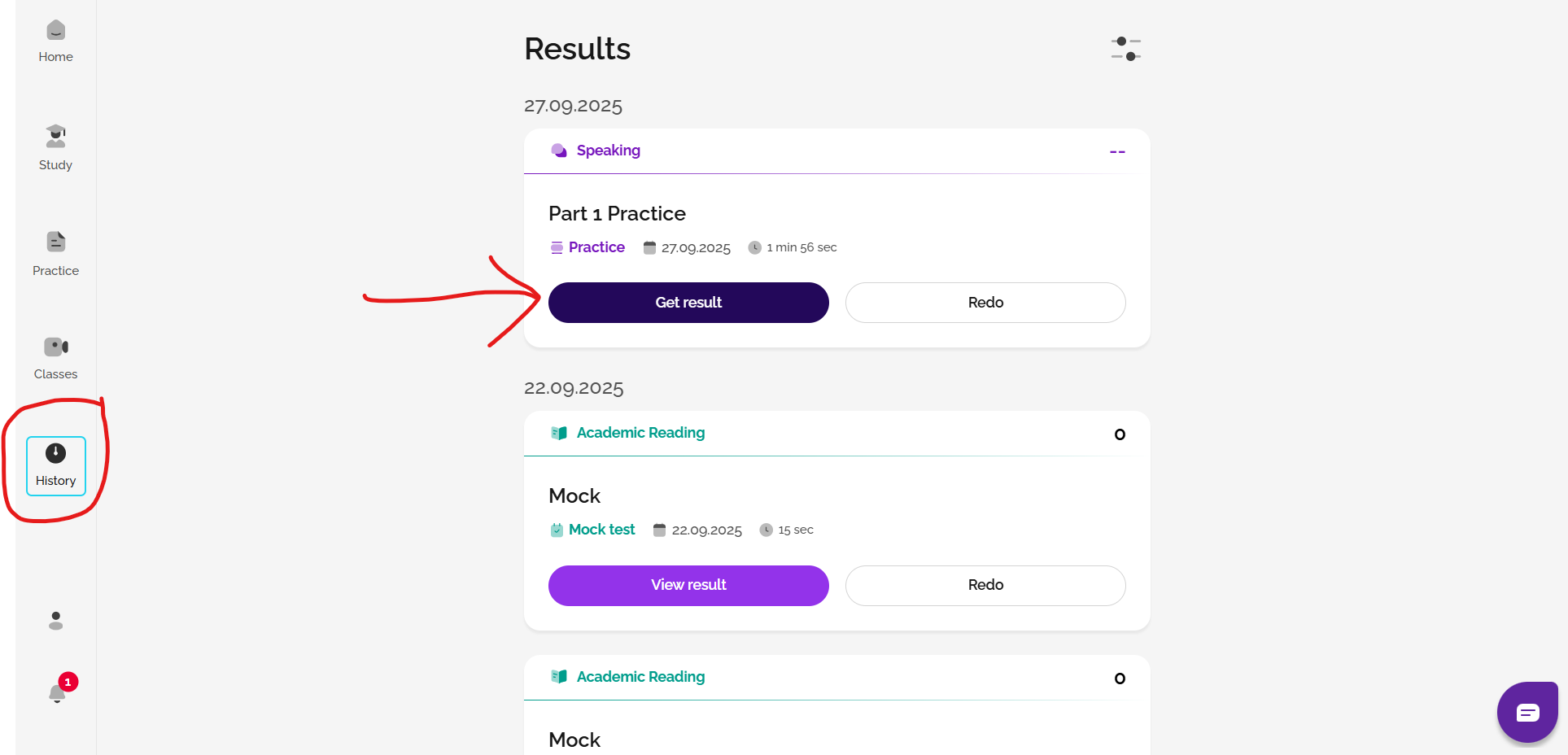
FlexCheck AI is available in two packages: Gateway and Advantage. With the Gateway package, you'll receive a breakdown of your band score for each marking criteria, a vocabulary assessment, and example answers. The Advantage package includes all of this, plus detailed written feedback on each marking criteria in your local languages, as well as a speaking pronunciation analysis powered by the Oxford Advanced Learner’s Dictionary. You can view this on your History page.
See: Which type of FlexCheck AI package is best for me?
Not ready to buy? Try our AI Mini Mock test!
The AI Mini Mock test is a quick assessment tool that gives you a snapshot of your IELTS readiness. It includes:
- Testing for all four skills: Reading, Listening, Speaking, and Writing
- Estimated band scores
- Detailed AI feedback on Speaking and Writing
- Question-by-question feedback for Reading and Listening
- Personalised recommendations to help you prepare effectively
See also: What is the AI Mini Mock Test?
See also: How do I use the AI Mini Mock Test?
Was this article helpful?
That’s Great!
Thank you for your feedback
Sorry! We couldn't be helpful
Thank you for your feedback
Feedback sent
We appreciate your effort and will try to fix the article