IELTS Ready Premium
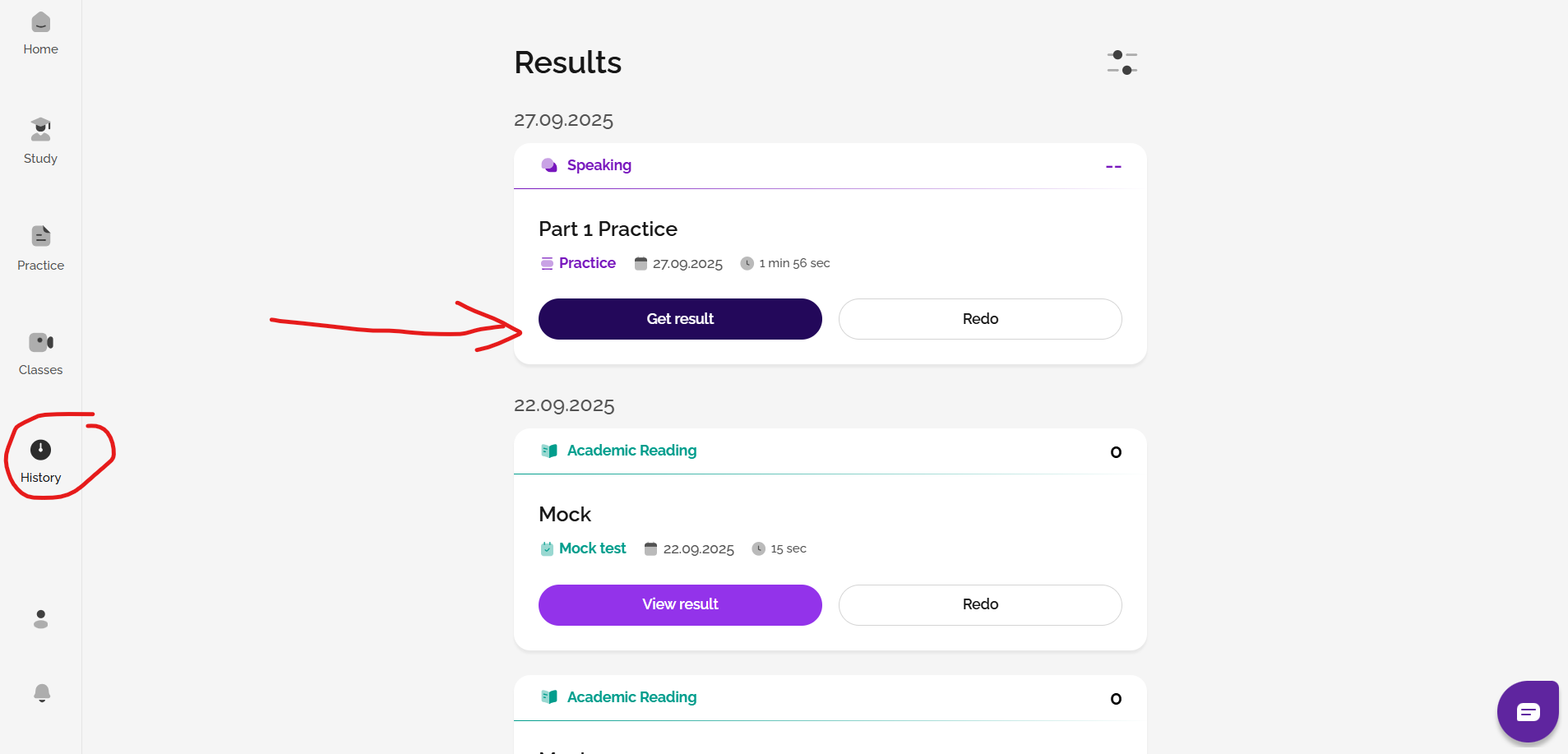
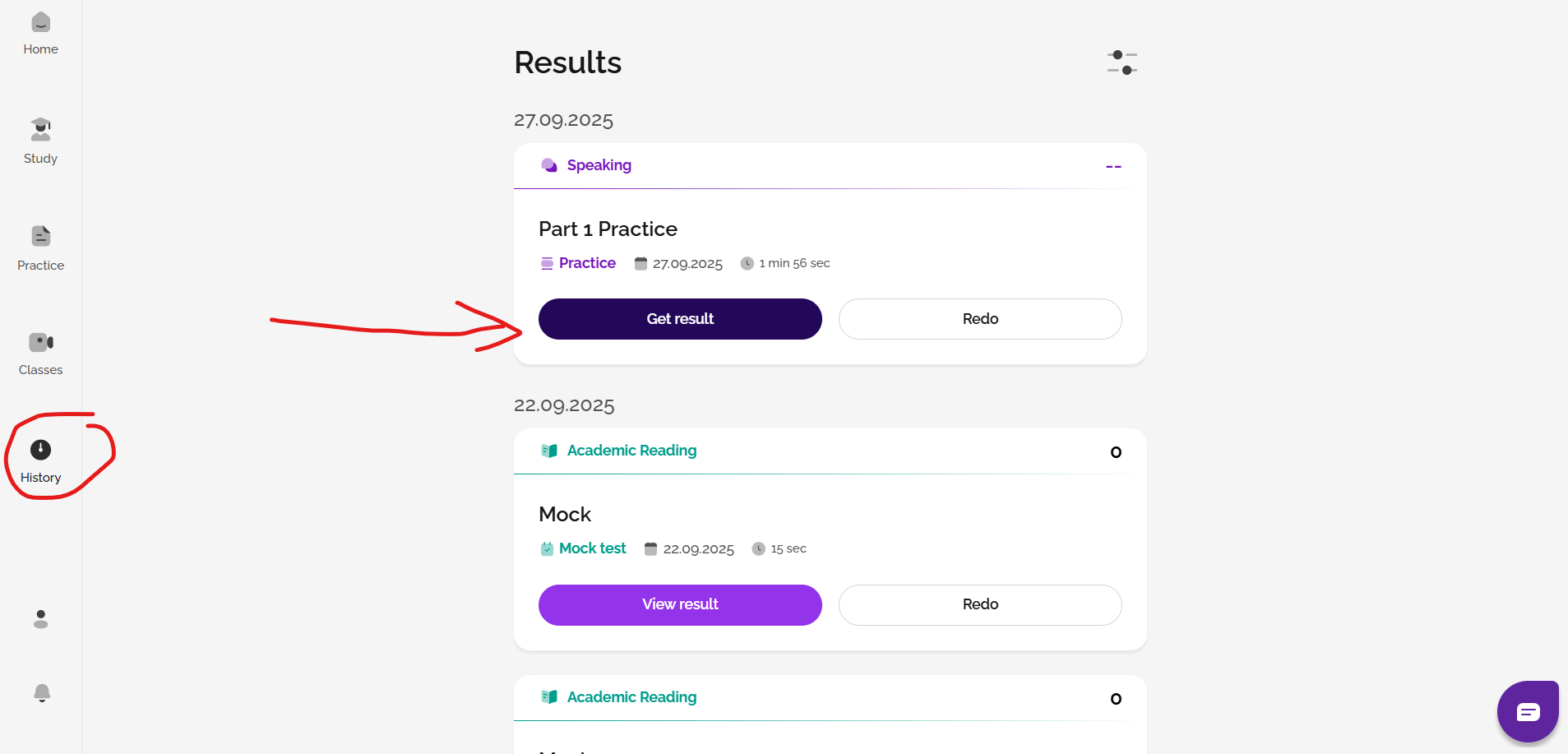
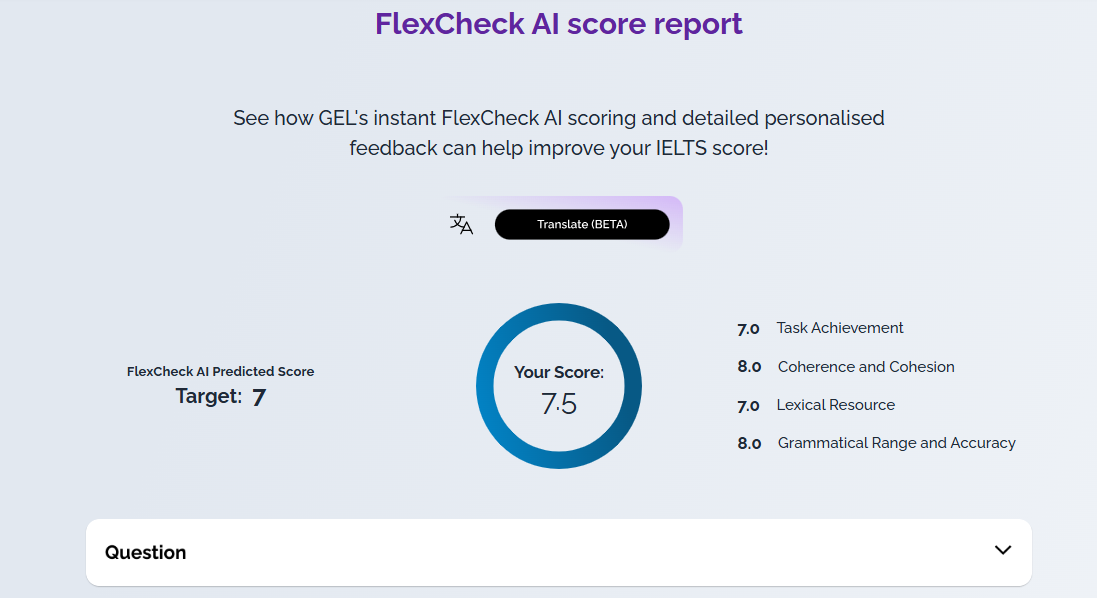
In your History area, if you click on 'get result', you can opt to get FlexCheck AI feedback on your completed Speaking and Writing tasks.
You can also take the AI Mini Mock Test for feedback and scoring on all four skills, including detailed AI feedback on Speaking and Writing. Read the article to find out more and start your Mini Mock test today!
FlexCheck AI
All new IELTS Ready Premium users will get 2 free FlexChecks which allow you to get feedback on two tasks (e.g. a full mock Writing test, two parts of a mock Speaking test, or one part of a mock Writing and one part of a mock Speaking test). These are valid for 2 days after you create your account. After these free credits are exhausted or have expired, if you want AI scoring and feedback for any further Speaking or Writing practice you have done, you can buy a Gateway or Advantage FlexCheck AI package. You will then be able to receive FlexCheck AI feedback on your work, including anything already saved in your History page, until your test date.
Go to Profile and Package to see your options or check out this article:
See: Which type of FlexCheck AI package is best for me?
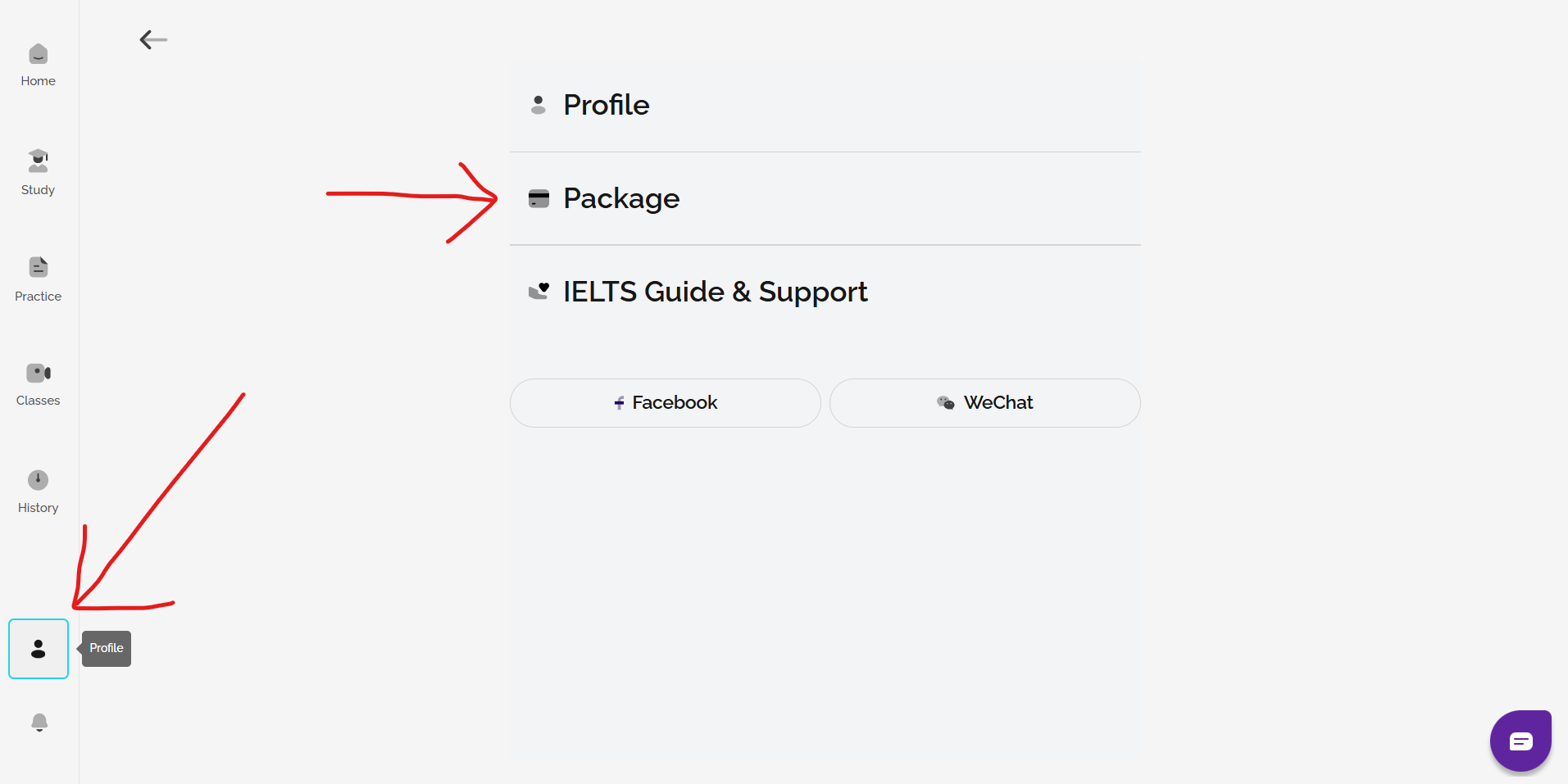
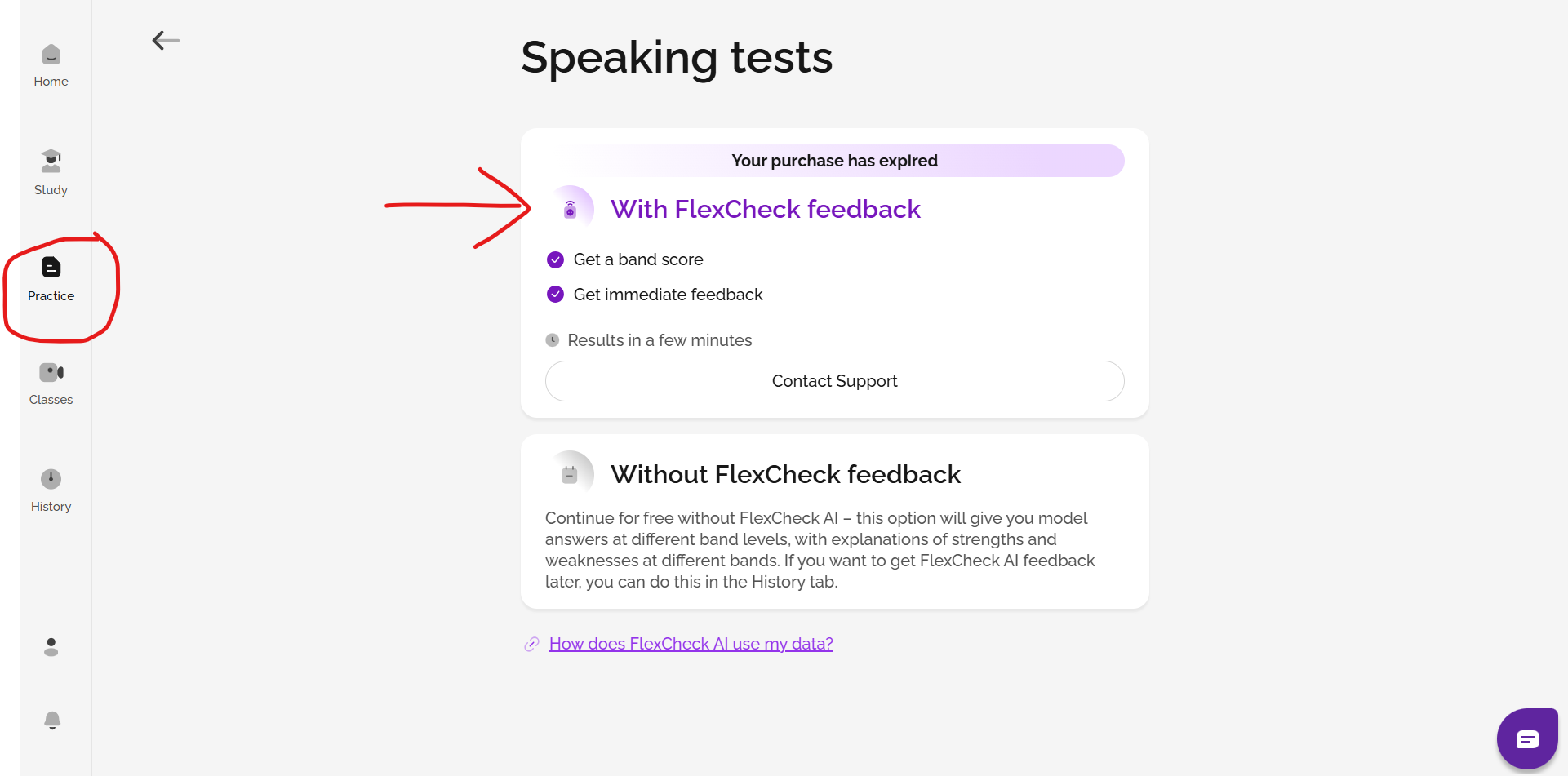
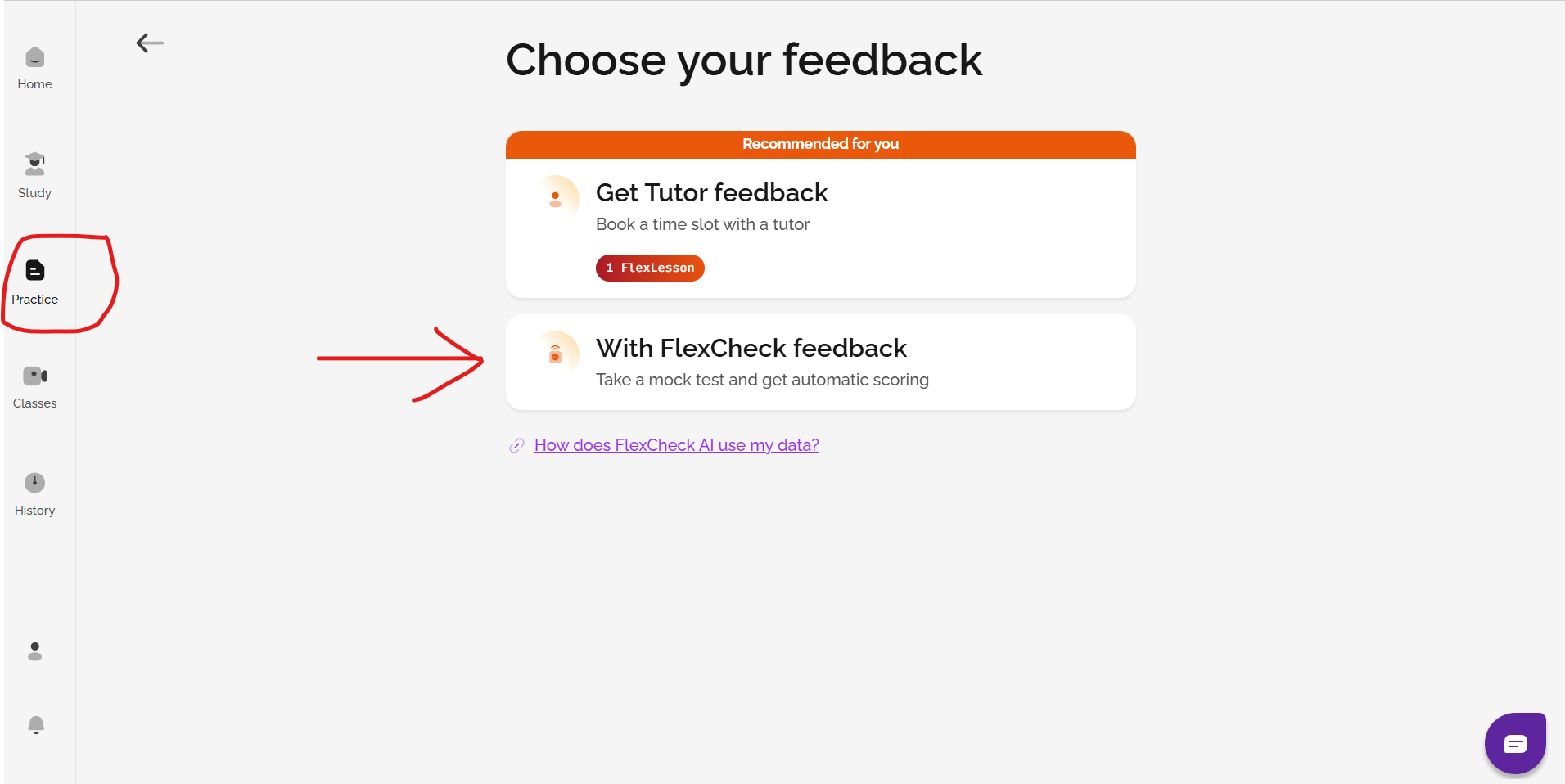
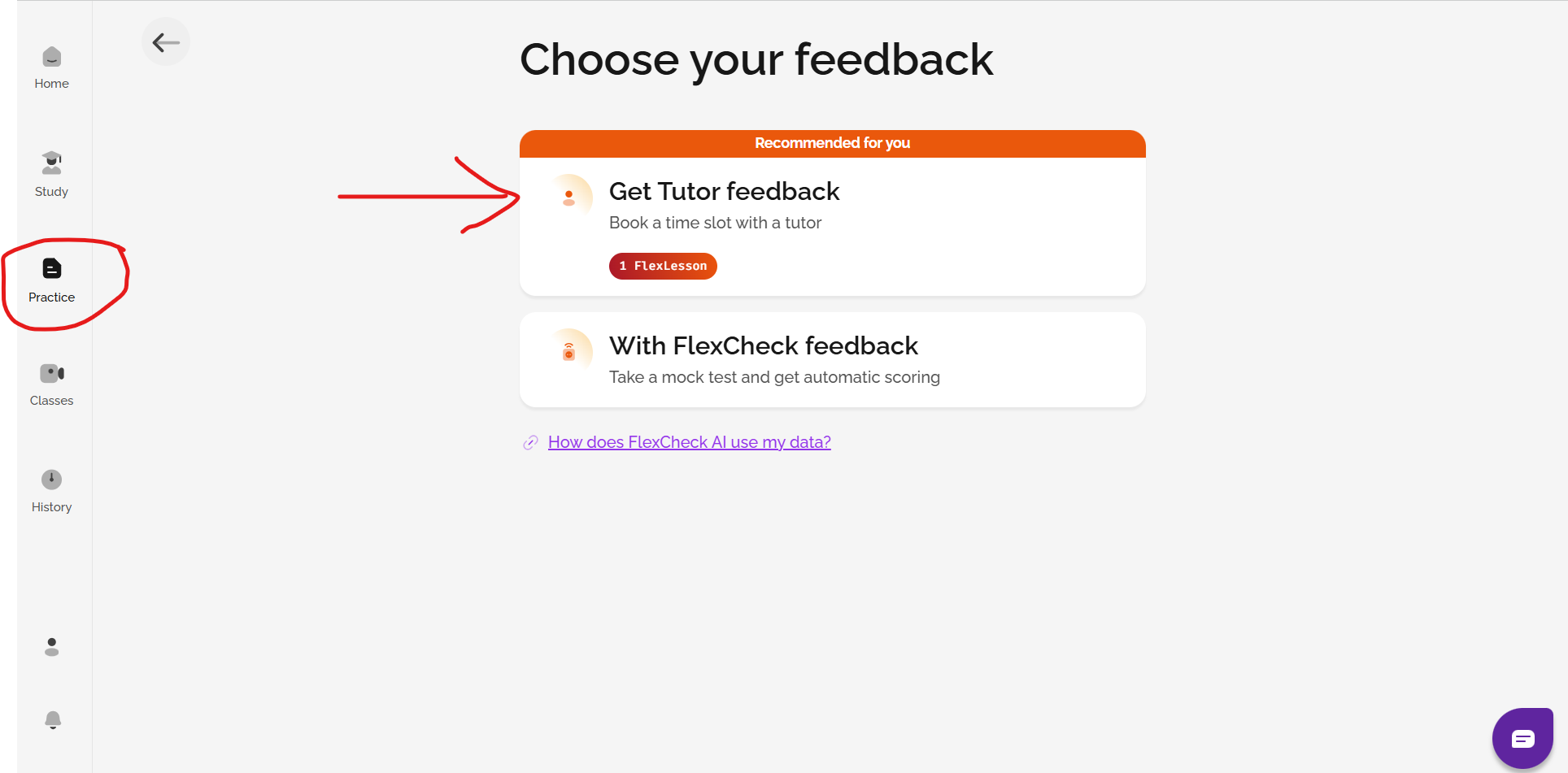
To get AI feedback, complete a Speaking practice task or a mock test from the Practice section in the menu. For mock tests, choose With FlexCheck feedback.
For practice tasks, click get result from your History page after completing the task.
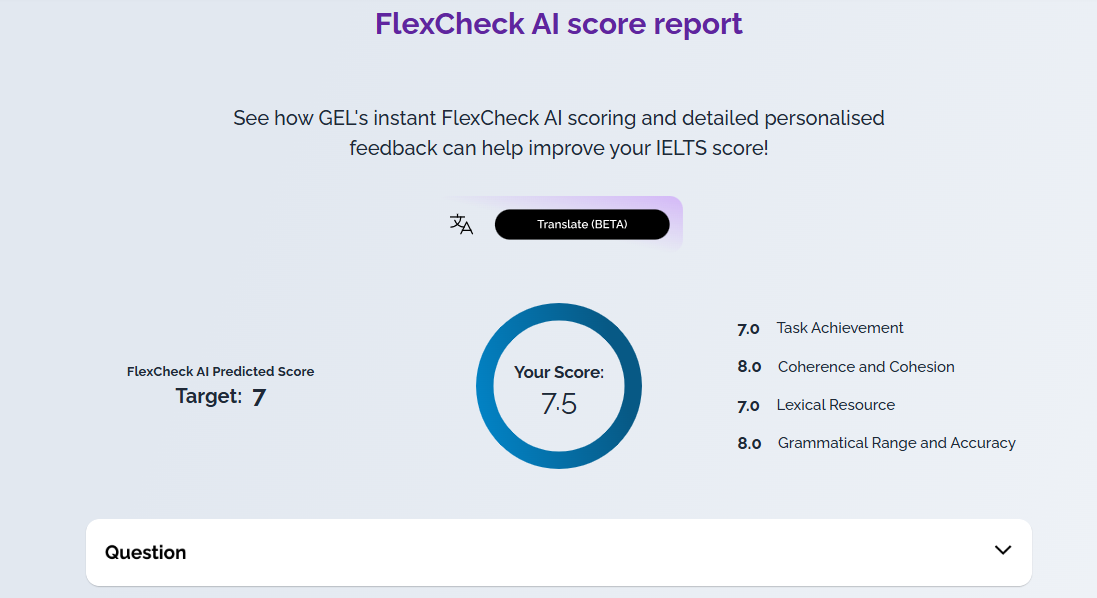
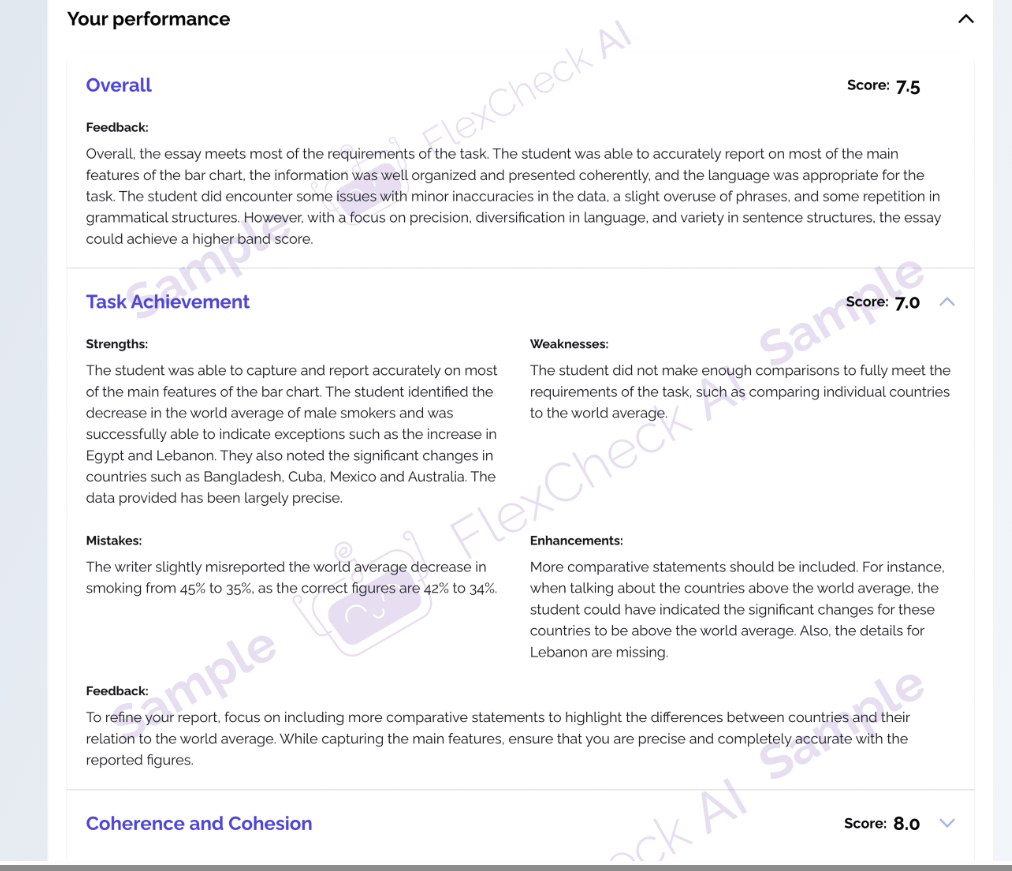
On a Gateway subscription you will get a breakdown of your band score for each marking criteria, vocabulary assessment and example answers. On an Advantage subscription, you also get detailed written feedback on each marking criteria in local languages and pronunciation analysis powered by the Oxford Advanced Learner’s Dictionary. You can see this on your History page.
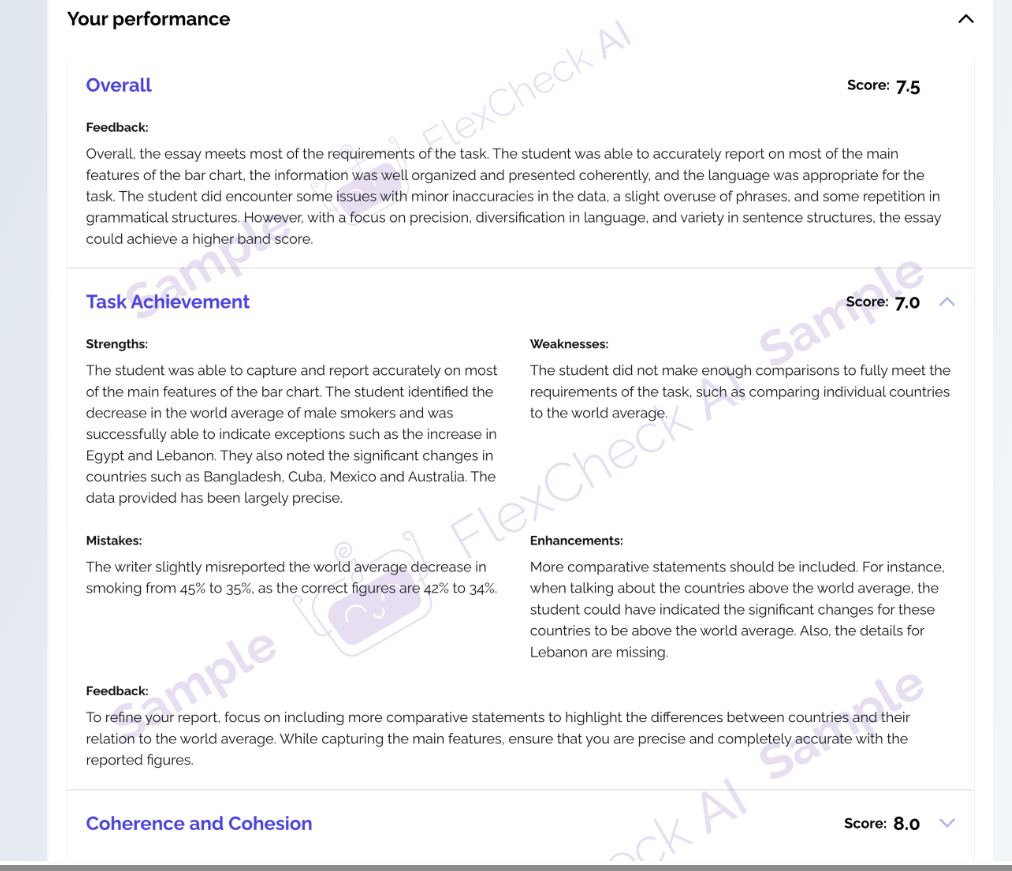
Speaking feedback from an expert human tutor is available through IELTS Flex with FlexLessons. As an IELTS Ready Premium student, you can extend your access to an IELTS Flex account for free here - just use the same email to log in.
Check out this article to discover more: What is IELTS FLEX?
IELTS FLEX
There are two ways to get feedback on Speaking: FlexLessons or FlexCheck AI.
You can also take the AI Mini Mock Test for feedback and scoring on all four skills, including detailed AI feedback on Speaking and Writing. Read the article to find out more and start your Mini Mock test today!
FlexCheck AI
On IELTS FLEX, you can get immediate, personalised, detailed feedback on Speaking mock tests by using FlexCheck AI. Go to Profile and Package to see your options or check out this article:
See: Which type of FlexCheck AI package is best for me?
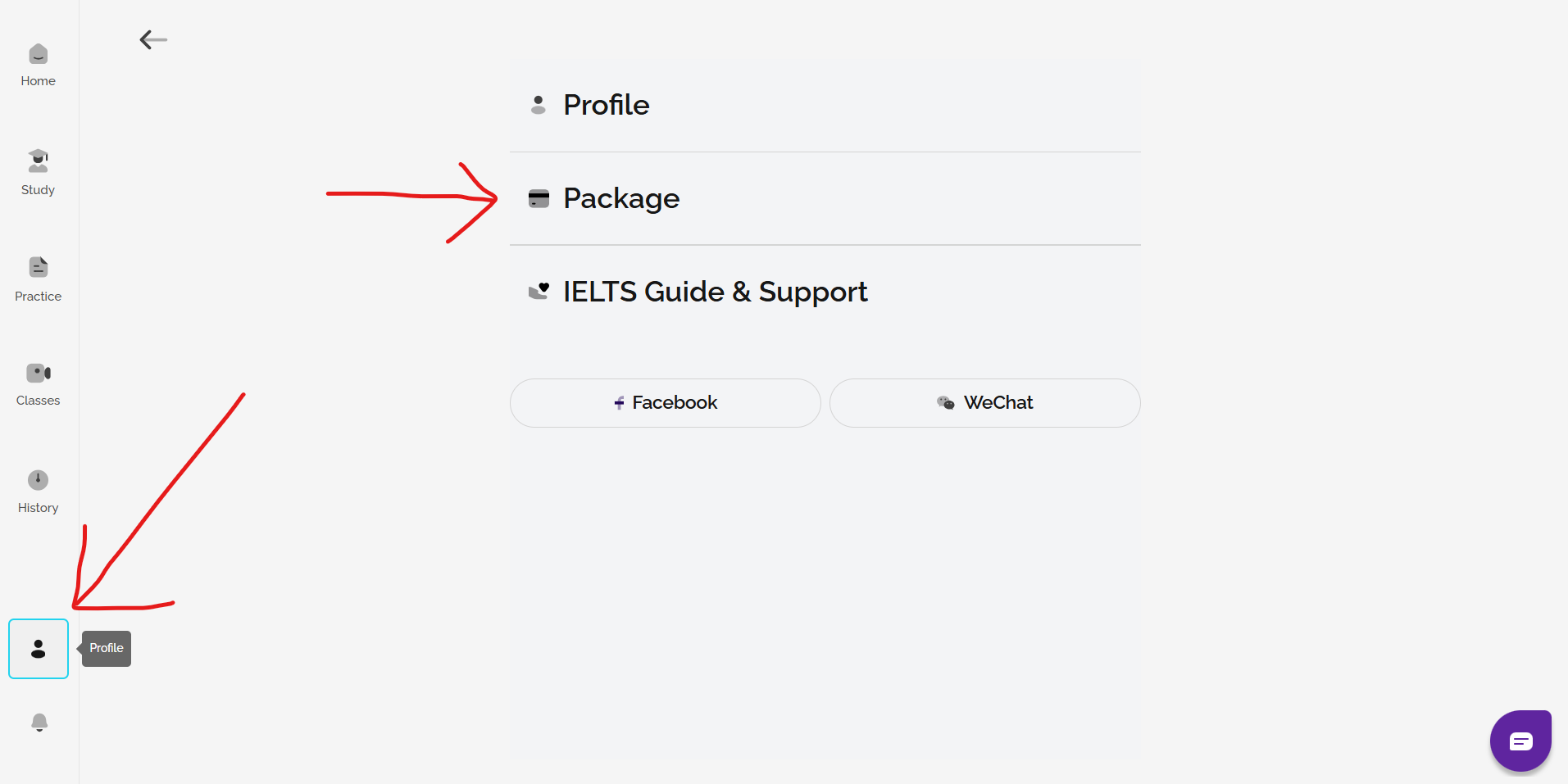
To get AI feedback, complete a Speaking practice task or mock test from the Practice section in the menu. For mock tests, choose With FlexCheck feedback.
For practice tasks, click get result from your History page after completing the task.
On a Gateway subscription you will get a breakdown of your band score for each marking criteria, vocabulary assessment and example answers. On an Advantage subscription, you also get detailed written feedback on each marking criteria in local languages, as well as pronunciation correction. You can see this on your History page.
FlexLessons: 1-to-1 Speaking Mock Tests
If you would like to book a FlexLesson 1-to-1 Speaking Mock Test with a tutor for more detailed feedback and recommendations, you can book from the Practice section. Choose get tutor feedback. You need to have FlexLessons available to get tutor feedback.
Choose a date and time that you are available. Times are shown in your local timezone. You can book times more than 36 hours from the present.
At the time of the class, join by clicking on the session in your calendar (or the link in the booking confirmation email).
In your 1-to-1 Speaking Mock Test, your tutor will spend around 15 minutes on a mock test of all three parts, and then spend around 15 minutes giving feedback. You will also receive a written feedback form with colour-coded feedback on your performance in the four marking criteria.
Was this article helpful?
That’s Great!
Thank you for your feedback
Sorry! We couldn't be helpful
Thank you for your feedback
Feedback sent
We appreciate your effort and will try to fix the article