If you are a British Council test taker using the IELTS Ready Premium website, you can see the IELTS On Computer mock test format by:
- purchasing a FlexCheck AI package and then choosing to do a mock test under strict timed conditions. Go to profile and then package to see your FlexCheck AI options.
- creating a free account on IELTS FLEX. All strict exam conditions mock tests will be in the IELTS On Computer format.
- trying the free British Council Computer Familiarisation test on the British Council website. There is one mock test in this format.
All Reading, Writing and Listening mock tests can be done with the IELTS On Computer test format. (Note: FLEX users who do not have a booked IELTS test with the British Council will need to purchase a FlexCheck AI package on FLEX in order to access this).
First, choose a skill in the Practice area (Listening, Reading, or Writing).
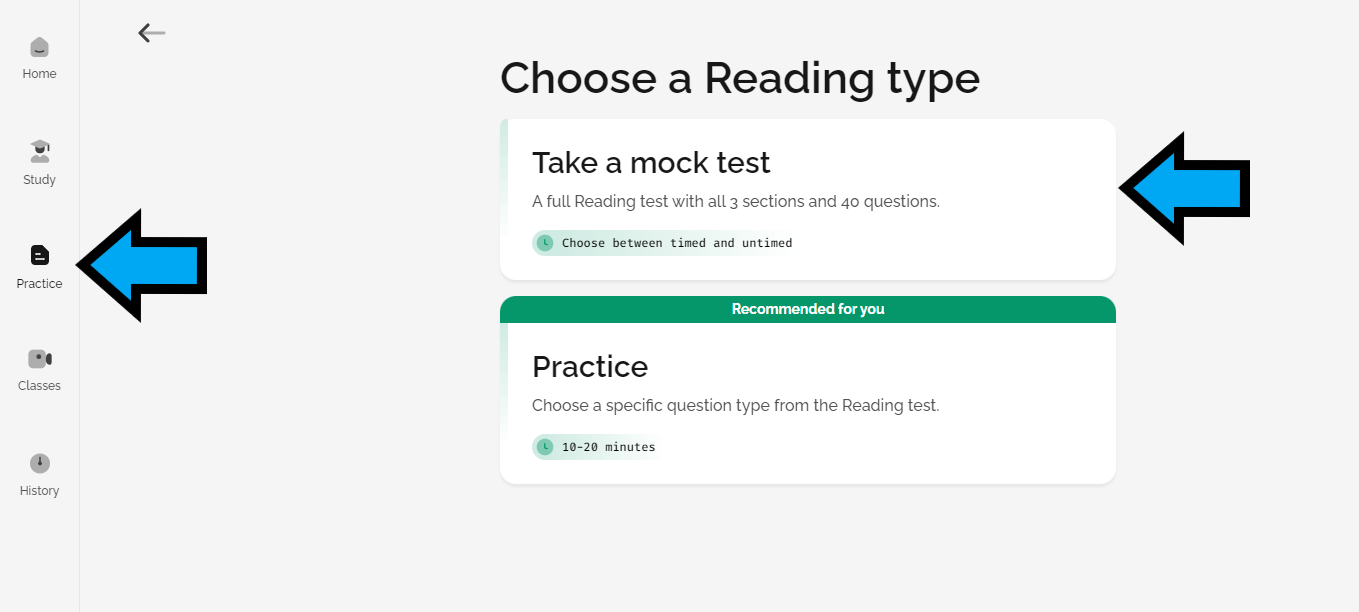
Then, choose the strict exam conditions option.
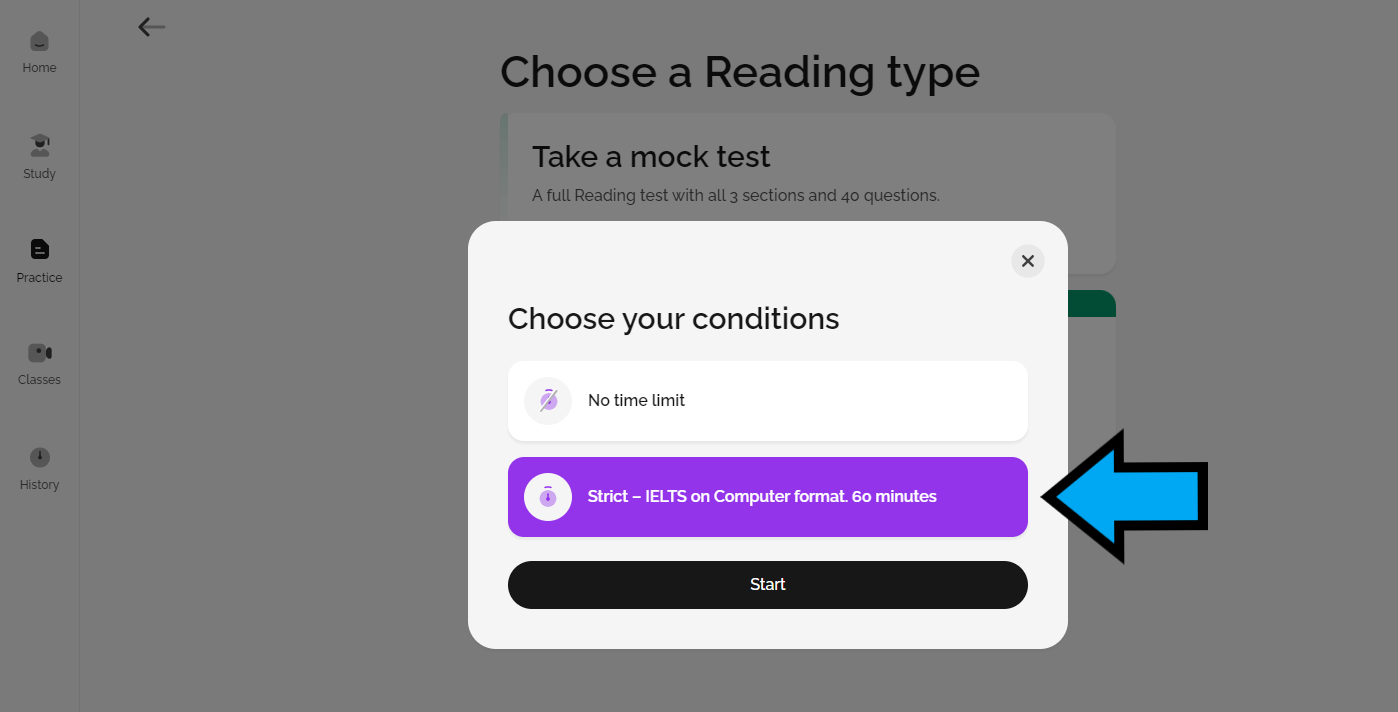
You can then complete the mock tests with the IELTS On Computer design and format.
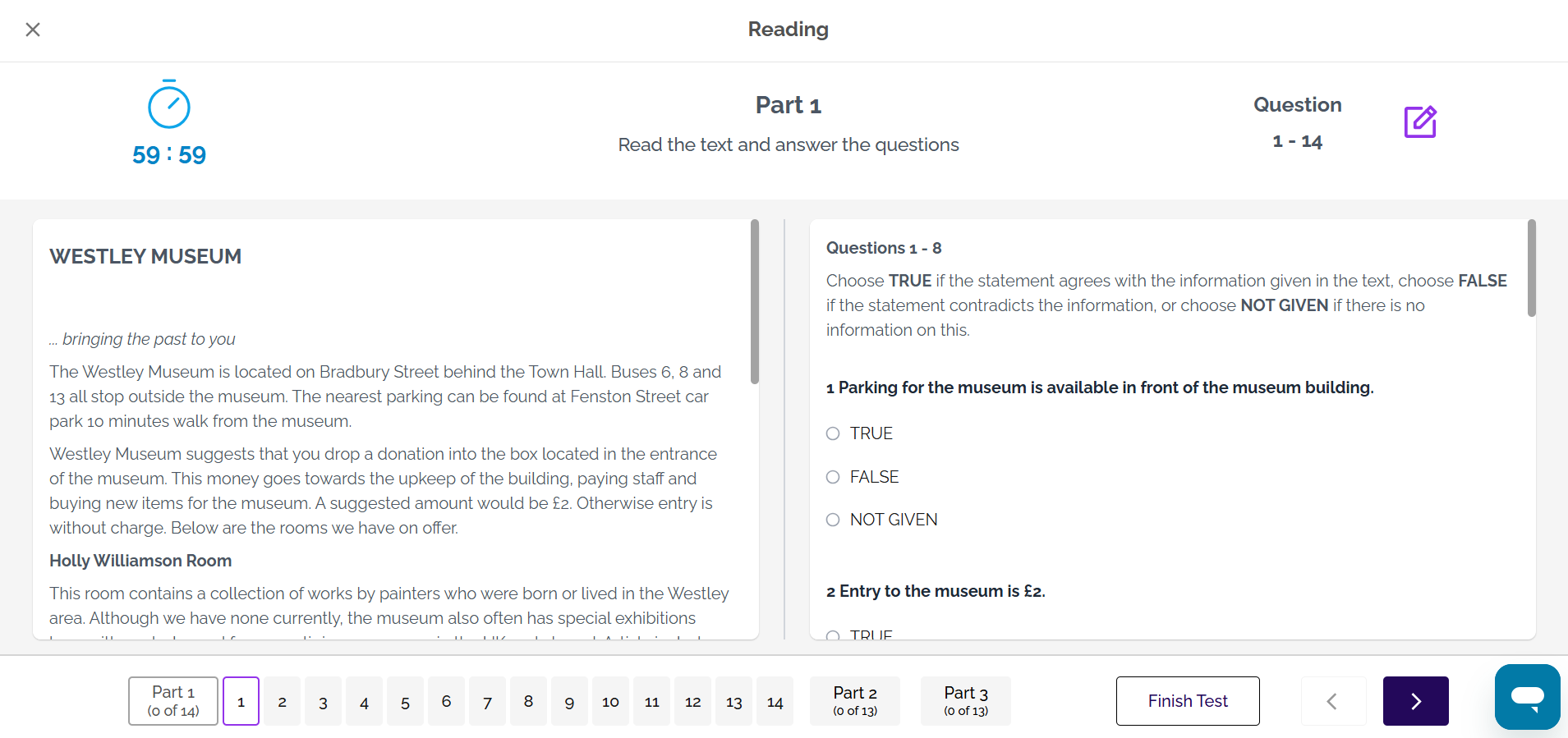
In the Reading mock tests, you can highlight text and make notes by dragging across the text to highlight the text and then choosing highlight or notes in the options box that appears. (NOTE: In the real IELTS exam, you will need to right click on your mouse to bring up the options box and this feature is also available in the Listening test).
You can type or select your answers on screen. At the bottom of the screen is the navigation bar. Use the numbers or the arrows to navigate to the next questions.
If you want to finish early, click on Finish Test (at the bottom of the screen).
See also:
Was this article helpful?
That’s Great!
Thank you for your feedback
Sorry! We couldn't be helpful
Thank you for your feedback
Feedback sent
We appreciate your effort and will try to fix the article