Getting feedback on your Reading practice is an important way to improve. Here's how it works.
Step 1: Complete a Reading practice activity or mock test
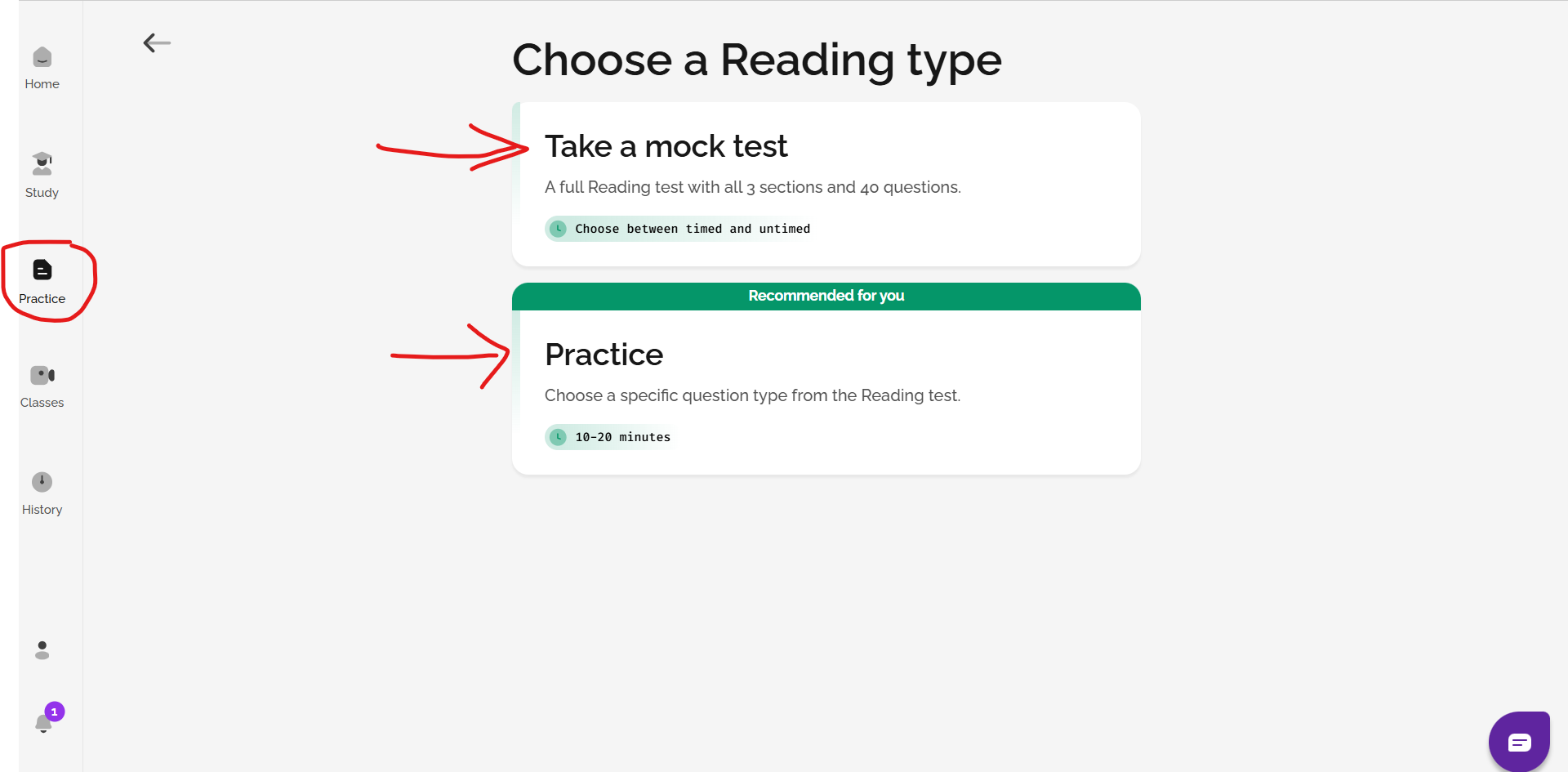
Before you can see feedback, you need to do a Reading practice activity or a mock Reading exam. You can find these by going to the Practice section on the left-hand menu and then choosing Reading.
Step 2: See your results right away
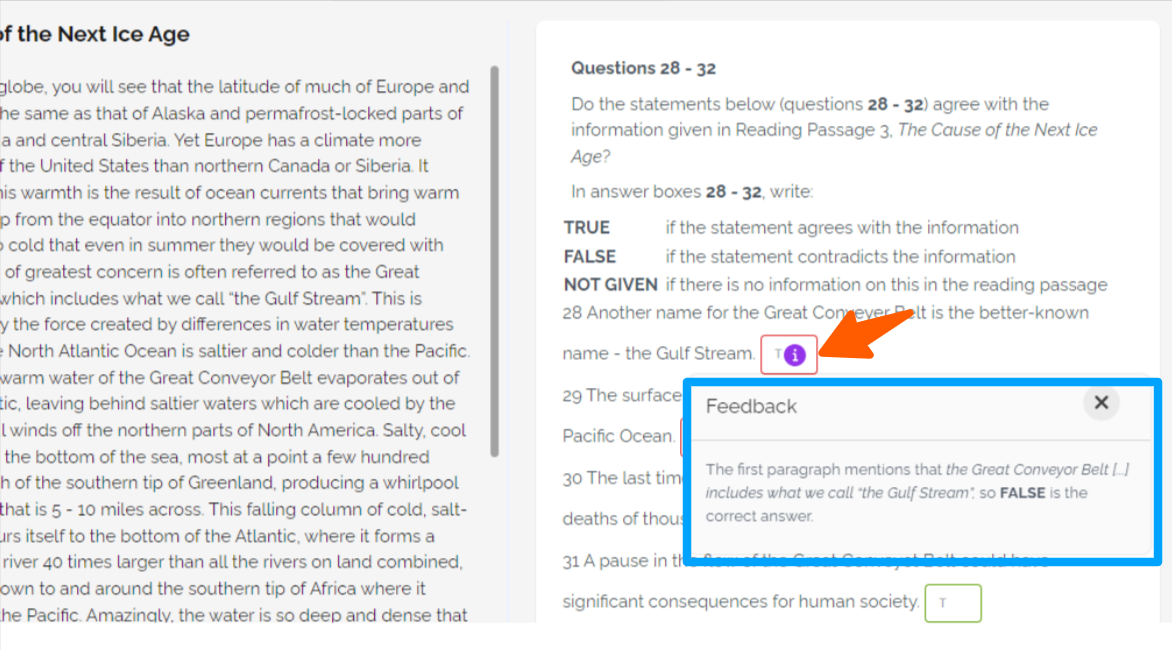
When you finish the Reading activity and click Check answers or Finish Test, your answers will be marked automatically.
If an answer is correct, the box will be green. If an answer is wrong, the box will be red. Next to each answer, you’ll see a small circle with the letter “i” inside it: ⓘ. Click it to see more information about the correct answer, including where the answer was found in the text.
This helps you understand why your answer was correct or incorrect.
Step 3: Find feedback later using the History page
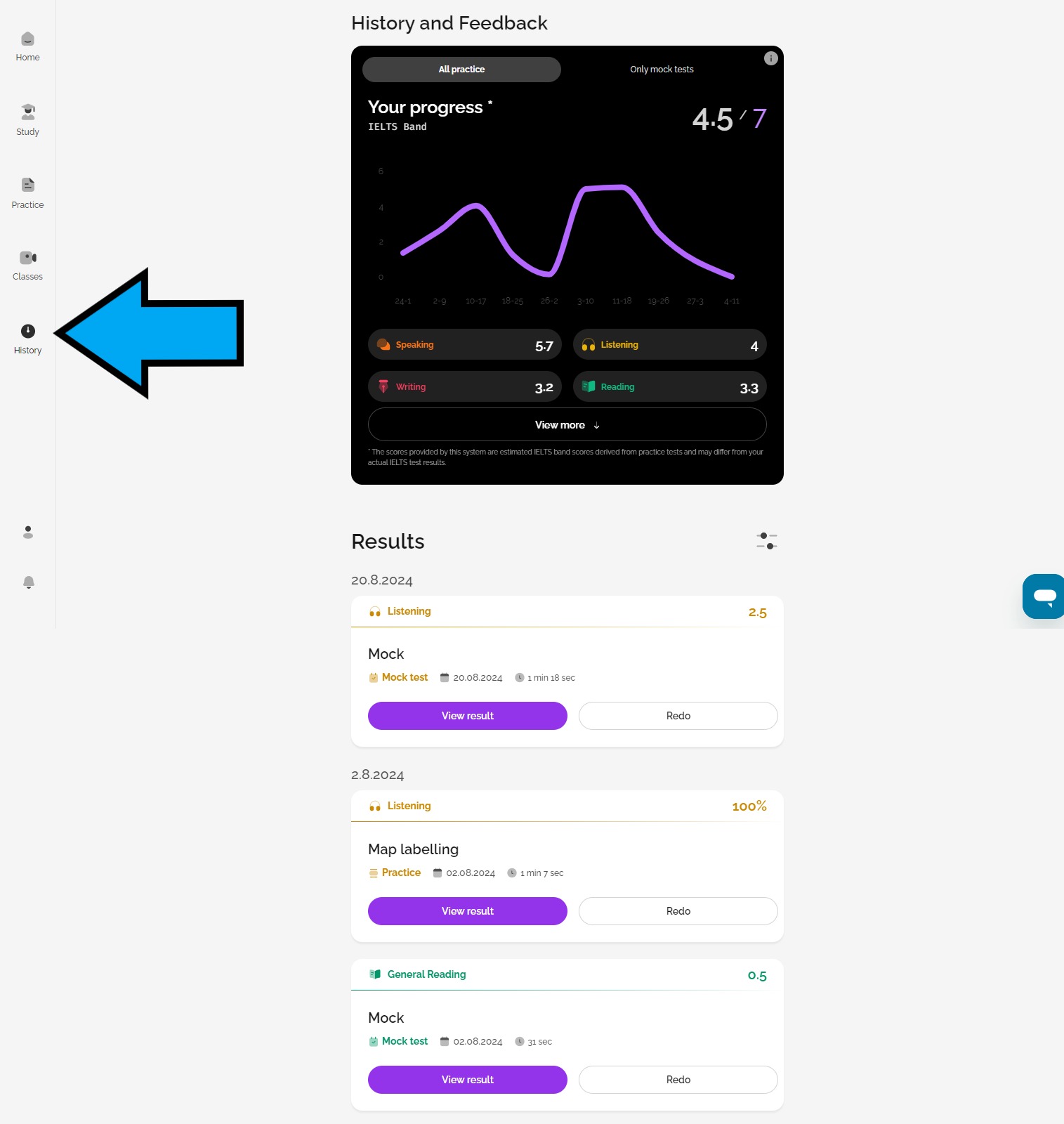
If you want to look at your results again later, you can go to the History page. This is on the left-hand side of the screen. Click on History, then scroll down to find the Reading activity you completed. Click on the purple View result button.
You will be able to see your answers, whether they were correct or incorrect, and more information about each question.
Final tip
Try to review your mistakes and think about what confused you. Reading the explanation and checking the text again carefully will help you improve over time.
Was this article helpful?
That’s Great!
Thank you for your feedback
Sorry! We couldn't be helpful
Thank you for your feedback
Feedback sent
We appreciate your effort and will try to fix the article